
SOPs sit in shared drives, quality checklists live in binders, and incident reports end up in a system no one searches. When a line goes down or a shipment gets held, teams call the one person who’s seen it before. When that person is off shift or retires, the same problem takes hours to solve again.
Every Site, Shift, and Supplier on Track
Routing guides, SOPs, maintenance history, and safety protocols are scattered across shared storage and the heads of your most experienced operators.
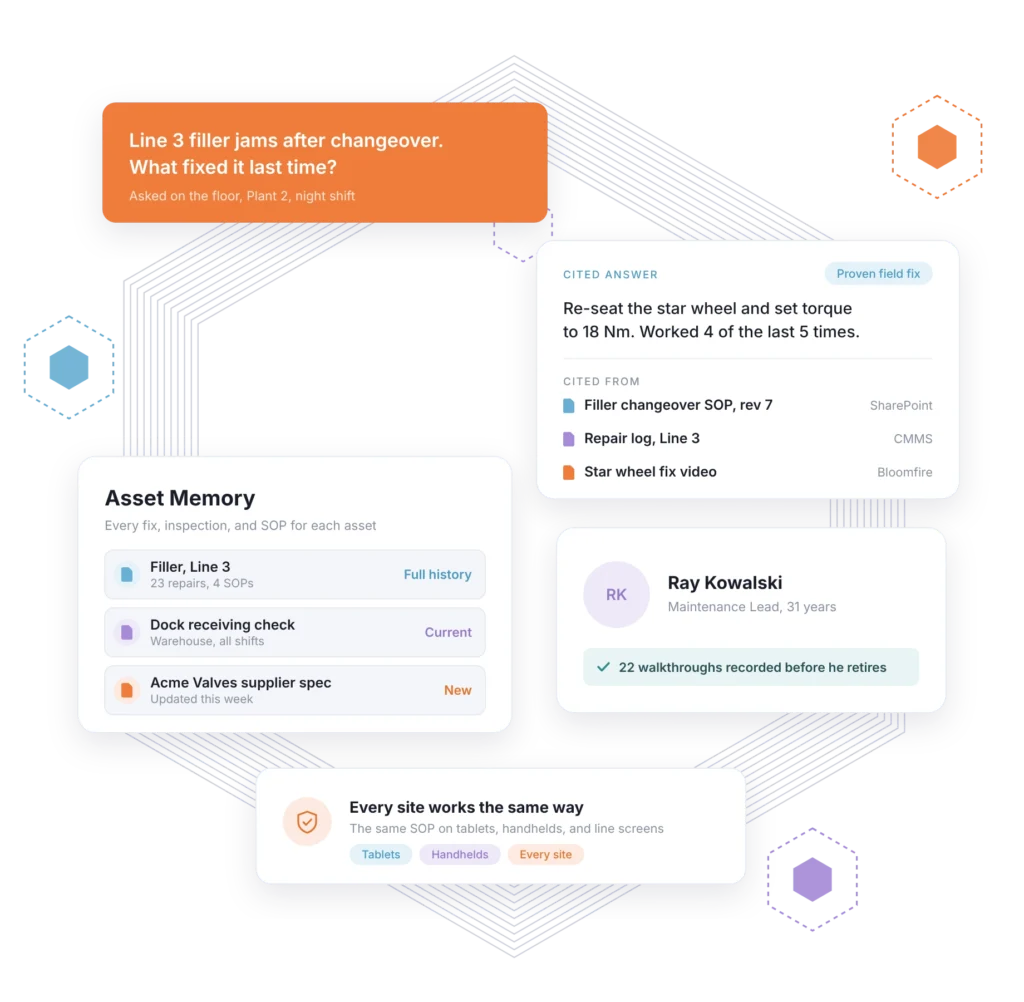
Bloomfire brings them into one governed place and gives every asset a complete operational memory. Teams fix problems faster and work the same way at every site.
The Fix Your Best Operator Knows Isn’t Written Down


Documented, Current, and Ready on the Floor
Bloomfire’s SOP knowledge management is built for operations. It connects procedures, maintenance records, and safety documentation where they already live, keeps them current with version control and review workflows, and gives teams cited answers at the point of work.
Lessons that travel between sites: Root cause analyses and corrective actions from one site are searchable at every other, so the same failure doesn’t repeat down the road.
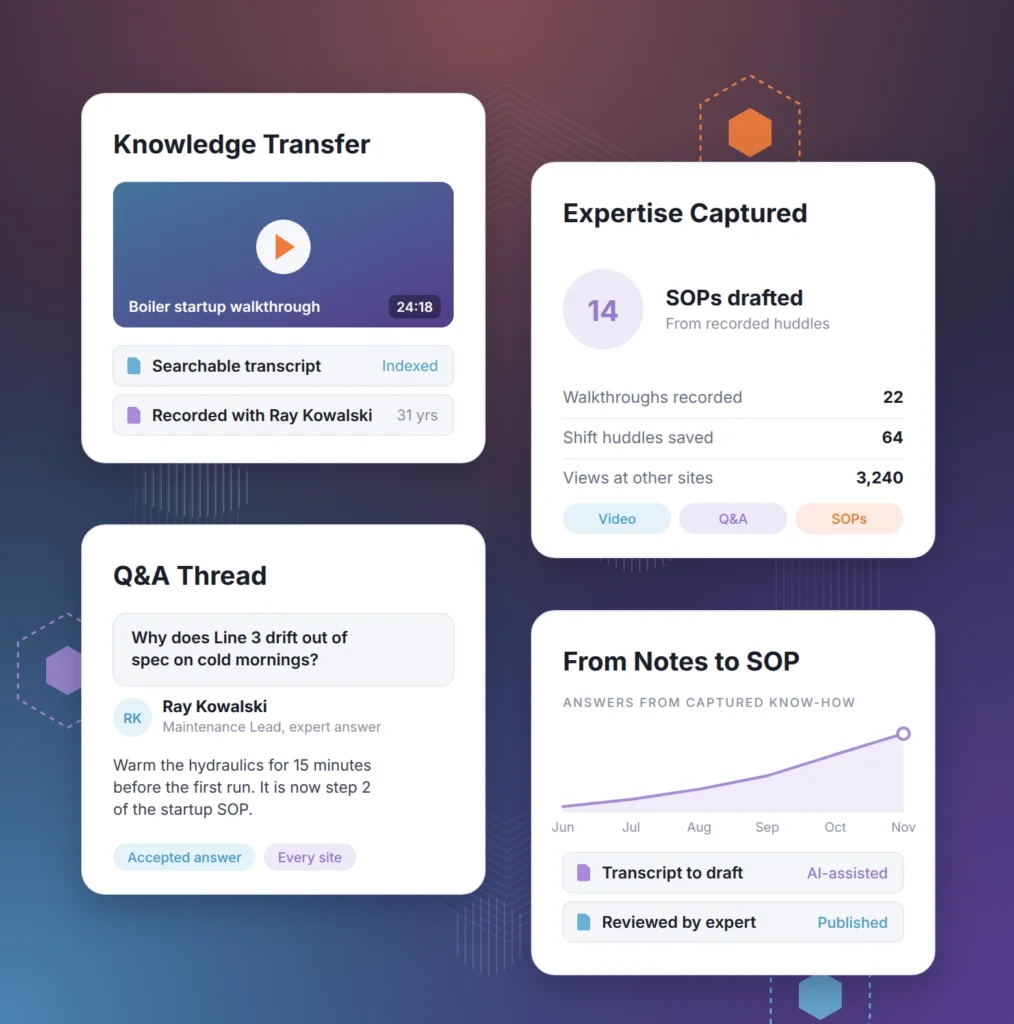
Expertise that stays: Recorded walkthroughs, shift huddles, and Q&A capture what veteran operators and technicians know before they move on.
How Bloomfire Supports
Operations & Supply Chain
SOP software and supply chain knowledge management in one platform, plus new Enterprise Intelligence for the plant floor, the warehouse, and the field.
- Guide Every Repair On-Site
- Answers at the Point of Work
- Keep SOPs Current Everywhere
- Capture What Veterans Know
- Build Your Own Agents
Field Service and Repair Guidance
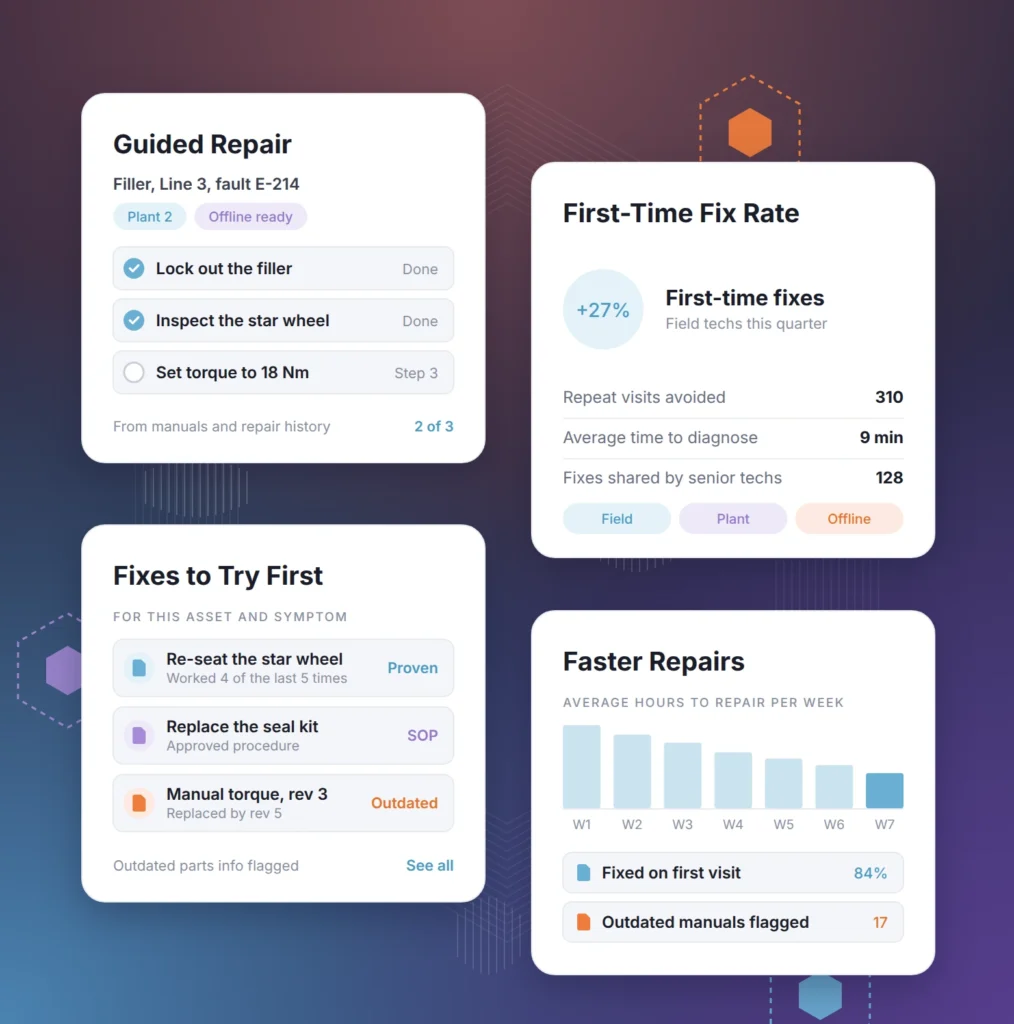
Give technicians equipment-specific troubleshooting steps built from manuals, repair history, and the fixes your senior techs already know. The memory model can also run offline inside your own mobile repair app.
- Step-by-step guidance for the equipment and symptoms at hand
- Proven field fixes considered alongside approved procedures
- Outdated manuals and parts info flagged before they cause a bad fix
Cited Answers and Guided Procedures
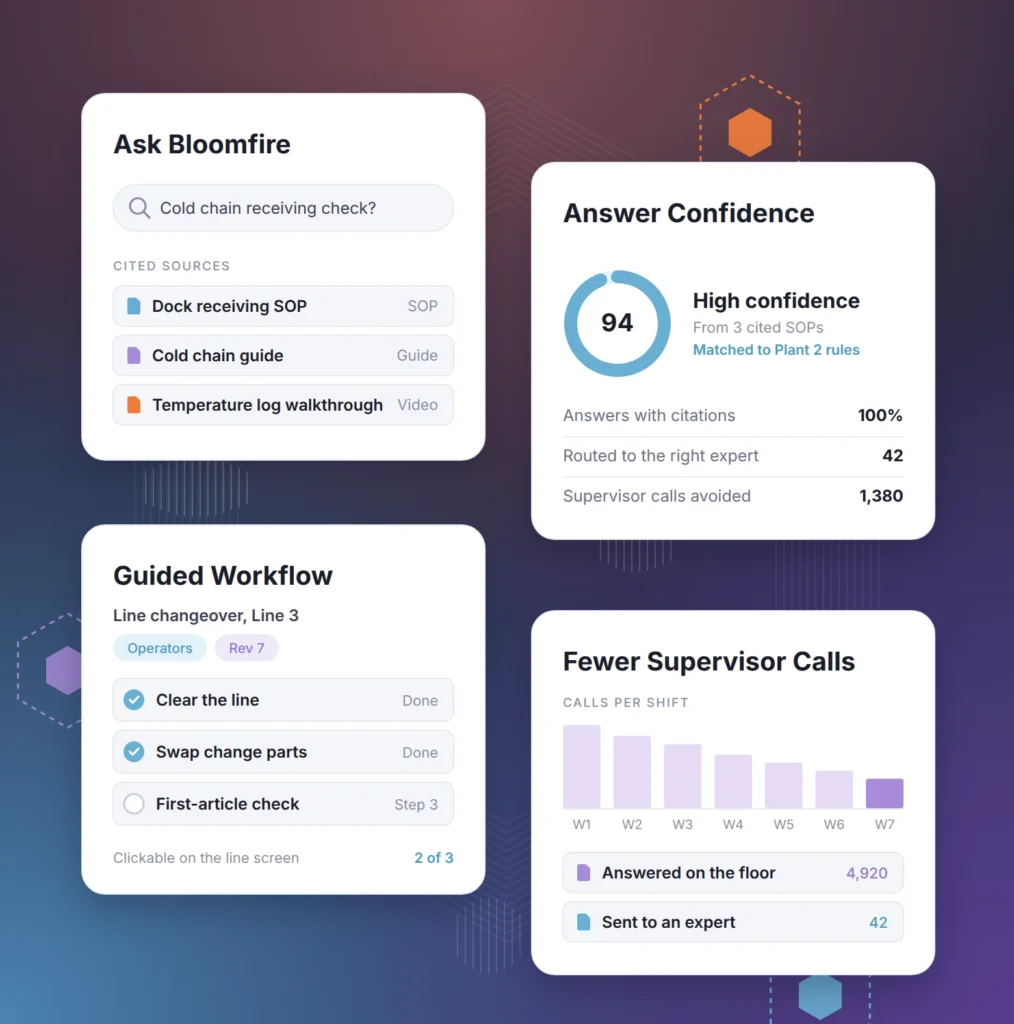
Operators and supervisors ask in plain language and get one answer with citations and a confidence level. Guided Workflow turns multistep procedures, like a line changeover or a dock receiving check, into clickable steps.
- Every answer links to the SOP or guide it came from
- Expertise Query routes to the right person
- Answers follow site and role permissions
Digital SOPs with Version Control
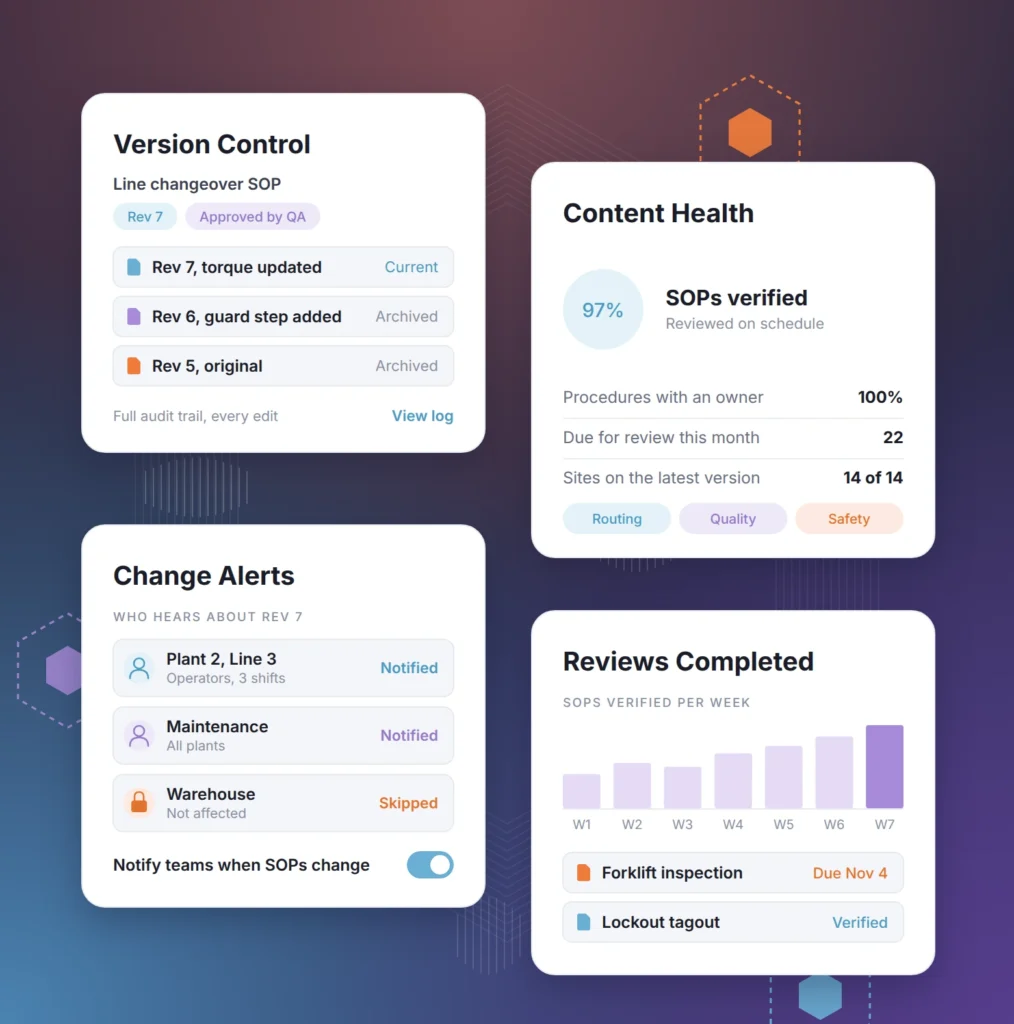
Replace binders and scattered folders with one searchable library of standard operating procedures, routing guides, and quality checklists for every site.
- Version control and audit trails for every procedure update
- Moderation workflows and review dates keep content verified
- Notifications when a procedure that affects your team changes
Operational Expertise Capture
Record what experienced operators and technicians know before retirements, shift changes, and reorganizations take it with them.
- Record walkthroughs and team huddles as searchable video
- Q&A keeps answers from experts visible to every site
- AI-powered authoring turns notes and transcripts into polished SOPs
Agents That Work for Operations
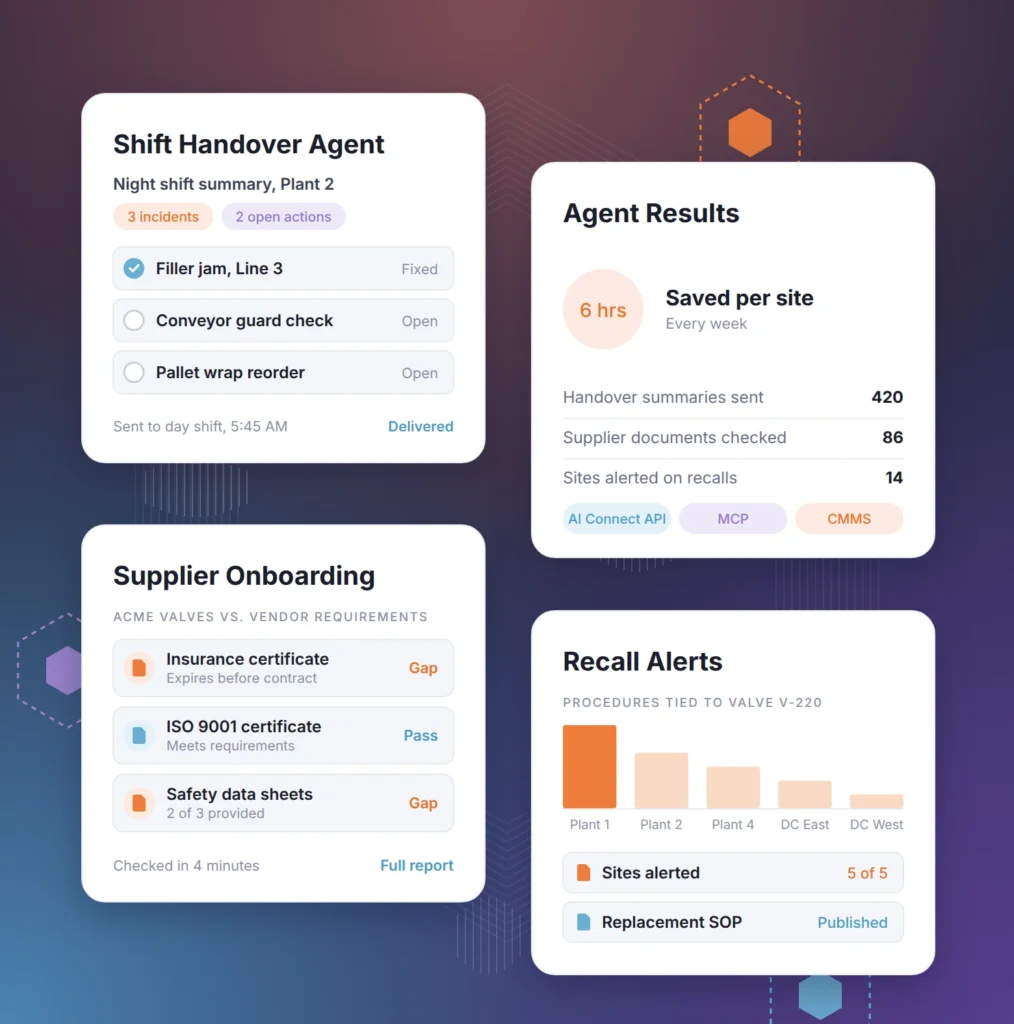
Build agents grounded in your procedures, maintenance records, and supplier documentation with the AI Connect API and MCP, so routine operations work runs on evidence instead of phone calls.
- An agent that drafts a shift handover summary from incident reports, maintenance logs, and open corrective actions
- An agent that checks a new supplier’s documents against your vendor requirements and flags gaps before onboarding
- An agent that alerts every affected site when a procedure tied to a recalled part changes
“The information is quick. It’s not delayed, and you don’t have to extensively search for it. It’s that quick.”
What Changes When Every Site Works from Current Procedures
When sites share procedures, lessons, and expertise, teams spend less time searching and more time keeping operations running.

Less Downtime
Teams find fixes faster when a line, truck, or system goes down.

Consistent Execution Across Sites
Every plant, warehouse, and region follows the same current version of each procedure.

Faster Ramp for New Operators
New hires learn from recorded walkthroughs and current SOPs instead of shadowing for weeks.

Safer, Audit-Ready Operations
Current safety protocols and clear audit trails keep ISO and HSSE reviews on track.
Portals and AI Tools for Operations & Supply Chain
Every operations team depends on three knowledge-sharing functions: documenting processes, coordinating logistics and sourcing, and keeping work safe and high quality. Each runs in its own portal, with the AI tools that fit the job.
Document Processes
Operational Process Documentation HubOne source of truth for SOPs and operating knowledge
Add Capacity Without Adding HeadcountIncrease team capacity by up to 9.8% with robust knowledge management
- SOPs, vendor guides, routing guides, and quality checklists in one library
- Version control with clear audit trails for every update
- Onboarding series and recorded team huddles for new operators
- Active Intelligence gives teams cited answers from approved procedures
- Learning Studio turns SOPs into short guides and knowledge checks
- Knowledge Base Health flags outdated or conflicting procedures
Coordinate Logistics and Sourcing
Logistics and Sourcing CommunityUnify logistics and sourcing documents in one central hub
Remove Barriers to Information59% reduction in barriers to accessing information with robust knowledge management
- Logistics playbooks organized by region
- AI-powered search for troubleshooting guides and quality checklists
- Cross-site collaboration across regions and facilities
- Knowledge articles integrated into warehouse management software
- AI Signal Studio flags supplier and market trends worth your attention
- Records of incident reports, root cause analyses, and corrective actions
Keep Work Safe and High Quality
HSSE and Quality Control HubMake sure teams operate safely and deliver high-quality work
Improve Performance by Sharing What Works6% of operational improvements came from sharing best practices
- A central library for HSSE policies and safety training
- A searchable root cause analysis and corrective action library
- A trusted reference for ISO and safety protocols
- Asset Intelligence connects incidents and corrective actions to each asset
- Acknowledgments confirm teams have read updated safety procedures
- Engagement analytics show which procedures teams use and where gaps remain
Frequently Asked Questions
Bloomfire combines standard operating procedure software and an operational knowledge base. Teams keep SOPs, safety protocols, and supplier documentation up to date, get cited answers at the point of work, and use Asset Intelligence to see the full history of any piece of equipment.
Most AI tools re-read a handful of documents every time someone asks a question, so two sites can get two different answers. Bloomfire builds a Persistent Semantic Memory™ of your company’s knowledge, so it reasons across everything you know, gives consistent answers, and shows the source behind each one.
Yes. Groups and role-based permissions control what each site, region, and role can see, and AI answers follow those same permissions. Enterprise Intelligence module inherits the platform’s security details.
No. The Universal Connector Framework connects to the systems you already use, like SharePoint and Google Drive, without a migration. Many operations teams also use the Bloomfire knowledge base to author and verify the SOPs that matter most.
Put answers where the work happens. Bloomfire runs on mobile devices, integrations bring knowledge into tools like Microsoft Teams and warehouse management systems, and answers are short and cited. Analytics show which searches come up empty so you can fill the gaps.
Those systems record transactions, inventory, and work orders. Bloomfire is SOP documentation software and a reasoning layer alongside them: it stores the procedures, lessons, and expertise people need, and Asset Intelligence connects what’s known about each asset to explain patterns and suggest ways to improve performance.

Build your knowledge ecosystem
Connect knowledge pools of documents, conversations, media, data, and expertise with your Persistent Semantic Memory™ to ground your AI. Use our turn-key of connectors or build your own to connect to any enterprise systems.

Sign up for Innovation
The pace of innovation with AI is accelerating. Join an alpha group for early access to new turnkey Intelligence Modules, and help shape what comes next.