
Verifying an AI Answer in Under 10 Seconds: How It Works

Betsy leads the customer success and implementation teams at Bloomfire and is a Certified Knowledge Manager (CKM) from KM Institute. Passionate about the people side of knowledge engagement and knowledge sharing, she brings real-world experience in tackling the challenges companies face with knowledge management.

Summary: Tools like Bloomfire’s Synapse verify AI answers in under 10 seconds by running a hallucination check before showing an answer, then letting users hover or tap footnotes to instantly see the exact cited passage supporting each claim.
Artificial intelligence (AI)-generated answers save time, until you have to double-check them. For most enterprise teams, trust but verify has meant clicking into two or three source documents, skimming for the right paragraph, and comparing it to whatever the AI just told you. That process can take minutes, and in high-stakes workflows like compliance, support, or sales, minutes add up fast.
What actually separates a fast AI verification and validation process from a slow one isn’t effort; it’s whether the system was built to make verification easy in the first place. Below is the general process anyone can follow to check an AI answer, and then a look at how Bloomfire’s Synapse is purpose-built to compress that entire process down to a glance.
The General Process for Verifying an AI Answer
Regardless of which AI tool produced an answer, verification tends to follow the same basic sequence (as shown below). This habit matters more than ever, since a recent survey found nearly 80% of Americans now make decisions based on AI output, but only 17% consistently check those generative answers:
Steps to Verify an AI Answer
- Isolate the factual claims. Separate the specific, checkable assertions in the answer (numbers, policies, dates, named facts) from connective or explanatory language that isn’t making a factual claim at all.
- Identify the source behind each claim. Determine which document, article, or dataset the AI is supposedly drawing from. If the tool doesn’t show this, you have to ask, search, or guess.
- Locate the exact passage. Open the source and find the specific sentence or section that supports the claim, not just the general topic area.
- Compare wording and meaning. Check that the passage actually says what the AI claimed, rather than something adjacent to it or subtly different in scope or condition.
- Check for unsupported additions. Look for details the AI may have added that don’t appear in the source at all, since these are the hardest errors to catch and the easiest to miss.
- Resolve conflicts or gaps. If sources disagree, or if no source really supports a claim, decide whether to trust the answer, flag it, or dig further before acting on it.
Done manually, that sequence is what makes verification slow. It requires opening documents, scanning for context, and holding the claim in your head while you search for its match. The fewer of these steps a person has to do by hand, the faster and more reliable verification becomes. This friction has real consequences.

A recent survey found that 66% of users rely on AI answers without checking whether they are accurate, and 56% said AI had led them to make a mistake at work. When verification takes real effort, people tend to skip it entirely, which is exactly why removing manual steps from the process matters so much.
Conversational AI, Built to Verify
Every Synapse answer cites its source, so your team can check and trust it.
Get Answers You Trust
How Bloomfire Verifies AI Answers Swiftly and Accurately
Bloomfire’s conversational AI tool, Synapse, is built to handle most of the verification sequence automatically. Before an answer ever reaches the user, it makes the remaining manual check nearly instant. Specifically, it follows two critical steps:
Step 1: Hallucination detection catches unsupported claims before you see them
Synapse runs a verification pass behind the scenes before showing an answer to a query or prompt. When someone asks a question, the system first retrieves relevant, approved content from the organization’s knowledge base, then drafts a candidate answer from that content. Before that answer is delivered, Bloomfire performs a hallucination check, comparing the generated answer against the original source material to confirm that every claim is actually supported by the retrieved content.
If the system finds unsupported or inconsistent information or data, the answer is withheld or flagged rather than shown as-is, with only verified responses carrying clear citations passed through to the user. The goal is not to claim hallucinations can be eliminated entirely, since that isn’t yet possible for any large language model (LLM). It’s actually to manage and minimize hallucinations through governance, verification, and transparency before the burden of catching them falls on the reader.
This effectively removes steps 5 and 6 of the manual process for most verified answers. Unsupported additions are caught by the system, and conflicts get resolved (or the answer withheld) before you ever see it.
Step 2: Cited Answers makes the remaining check visual and immediate
For the claims that do make it through, Bloomfire’s Cited Answers capability handles the rest of the sequence: source identification, passage location, and wording comparison, in a single interaction instead of a document search. It works through a few connected building blocks:
- Claims: The individual statements in an answer that assert something factual. Connective or explanatory text isn’t tagged, since it doesn’t need grounding.
- Footnotes: The small numbered markers attached to a claim, each pointing to one source.
- Sources: The actual post or article in the internal knowledge base that the answer drew from.
- Citations: The exact excerpt of text within a source that grounds a specific claim.
One answer can contain several claims, each claim can carry one or more footnotes, and each footnote links to a source containing the precise citation used to support it. In practice, hovering over a footnote surfaces a small module showing the citation and its source, without leaving the answer. Clicking it opens a sources sidebar with the full excerpt highlighted in context, and hovering a citation there highlights the exact claim it supports back in the answer.
On mobile, the same relationships appear as tappable cards. That loop – read the claim, hover or tap the footnote, see the exact sentence it came from – is what collapses steps 2 through 4 of manual verification into a glance, generally well under 10 seconds.
This is available everywhere Synapse produces an answer: Full-Page Chat, Ask Within a Post, and the Synapse Answer shown on search, so the same verification habit carries across surfaces.
Prioritize Accuracy of AI-Generated Answers
Verification is usually treated as the tax you pay for using AI in serious work. Bloomfire’s approach, catching unsupported claims before they reach the user and making the remaining sourcing inspectable at the sentence level, shows how much of that tax can be removed. Verifying an answer stops being a separate research task and starts being part of reading it.
Trustworthy Answers, Instantly
See how Bloomfire’s hallucination detection tool screens grounded, source-backed AI responses.
Learn More
Cited Answers is a Synapse capability that attaches inline footnotes to AI-generated answers, linking each factual claim to the exact source and passage that supports it. It’s designed to make verifying an AI answer fast rather than a separate research task.
A source is the underlying post or article in the knowledge base, while a citation is the specific excerpt of text within that source used to ground a particular claim. One source can contain multiple citations if it supports several different claims.
A claim is a sentence or paragraph in the answer that asserts factual information, as opposed to connective or explanatory text that doesn’t need grounding. Only claims receive footnotes; the surrounding narrative text does not.
Betsy leads the customer success and implementation teams at Bloomfire and is a Certified Knowledge Manager (CKM) from KM Institute. Passionate about the people side of knowledge engagement and knowledge sharing, she brings real-world experience in tackling the challenges companies face with knowledge management.
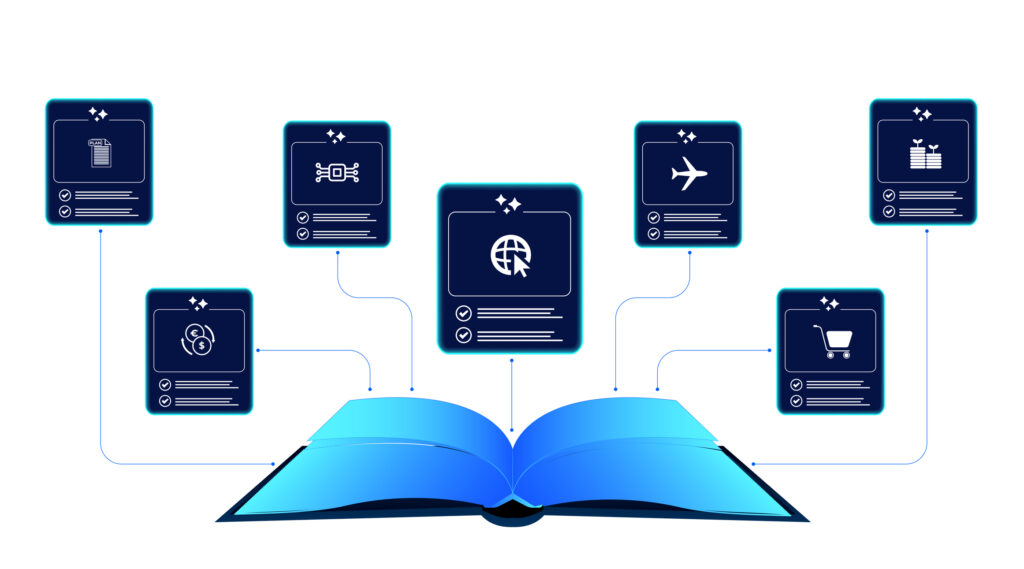
How Self-Healing Knowledge Bases Work: A Closer Look Into Bloomfire’s Content Reliability

How Conflicting Content Detection Protects Answer Accuracy

Salesforce Einstein + Bloomfire: Smarter Answers Inside the CRM
Build your knowledge ecosystem
Connect knowledge pools of documents, conversations, media, data, and expertise with your Persistent Semantic Memory™ to ground your AI. Use our turn-key of connectors or build your own to connect to any enterprise systems.
Sign up for Innovation
The pace of innovation with AI is accelerating. Join an alpha group for early access to new turnkey Intelligence Modules, and help shape what comes next.