
What Is a Document Management System?

When documents live in email threads, desktop folders, and dusty filing cabinets, every simple task takes longer than it should, and critical information slips through the cracks. That chaos is exactly what pushes growing organizations to seek a smarter, more structured way to manage their information. This is where a document management system (DMS) becomes valuable.
A document management system replaces scattered files with a single, organized source of truth for your business content. In an environment where speed, accuracy, and compliance are non‑negotiable, a DMS shifts document handling from a constant liability to a controlled, strategic asset.
With the right system in place, teams find what they need in seconds, collaborate with confidence, and enforce consistent standards without piling on more manual work. As you explore how a DMS works, what features to prioritize, and when to invest, you will see how it can transform everyday document chaos into a streamlined, scalable advantage.
What Is Document Management?
Document management is the systematic process of capturing, organizing, storing, tracking, and retrieving documents throughout their lifecycle, typically using specialized software and defined practices. It applies to both electronic files (such as PDFs, word processing documents, images, and emails) and to digital images of paper records.
In practice, enterprise document management reduces duplication, minimizes the loss or misplacement of files, and creates a clear history of who did what with each document. By structuring and tracing documents, document management strengthens operational efficiency, accountability, and information governance across an organization.
What Is a Document Management System (DMS)?
A document management system (DMS) is a software application that electronically stores, organizes, tracks, and controls documents in a centralized repository. Document management systems provide capabilities such as secure storage, powerful artificial intelligence (AI) search, access permissions, and version control so users can quickly find and work with the correct file. According to a 2023 Adobe Acrobat survey, 48% of workers reported they struggle to find documents quickly and efficiently, while 47% said they have difficulty managing document versions, underscoring the need for modern DMS tools.
Modern DMS platforms usually capture documents from multiple sources (scanners, email, uploads), apply metadata or tags, and then route them through defined workflows like reviews and approvals. Common features include document indexing, full-text search, collaboration tools, audit trails, and automated workflows that move documents between people and departments. As a result, organizations gain stronger information governance, better security for sensitive content, and a more consistent way to manage documents throughout their lifecycle.
Types of Document Management Systems
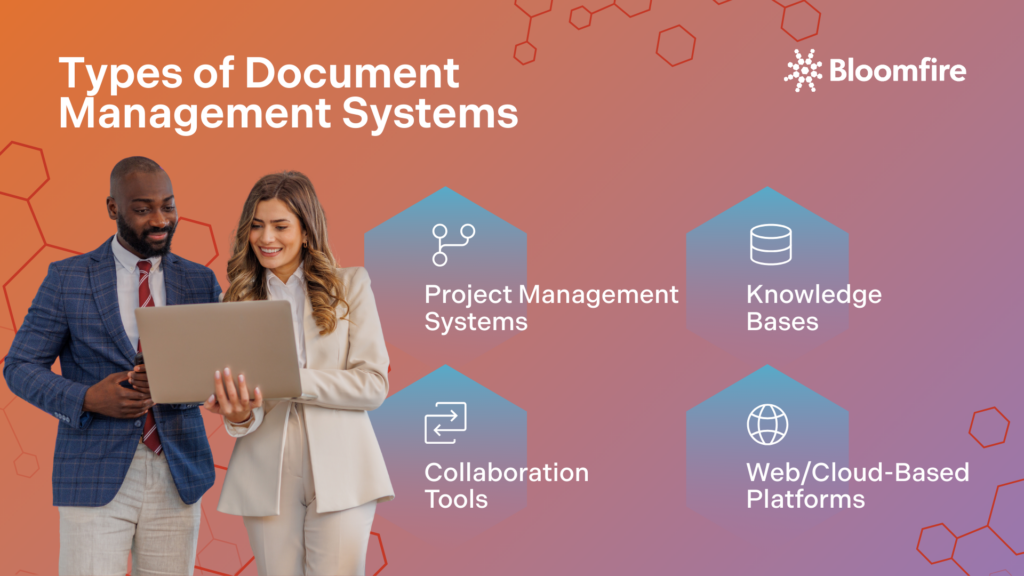
Different types of document management systems reflect the different ways teams work, from running projects to capturing knowledge and collaborating in real time. Understanding the differences between systems will help you match the right system to your core use cases, rather than trying to force one tool to do everything.
Project Management Systems
Project management systems are structured approaches used to plan, organize, and control projects from initiation through completion. They coordinate tasks, resources, deadlines, and budgets in one place so teams can track progress and manage dependencies effectively. Within a document context, they often centralize project-related files, versions, and approvals alongside tasks and timelines, keeping all work assets tightly linked to the project schedule.
Knowledge Bases
Knowledge bases are organized repositories of information, such as guides, FAQs, and process documentation, that users can search or browse to answer questions on their own. They capture institutional knowledge in a structured, self-service library so employees or customers do not have to rely on one-on-one support. When used with documents, a knowledge base helps surface the right reference materials, policies, or guidebook documents at the moment of need.
Collaboration Tools
Collaboration tools like Slack, Zoom, and Canva enable people to communicate, share files, and coordinate work in real time, regardless of location. They provide capabilities like messaging, video meetings, shared workspaces, and co-editing so teams can work together on the same content. For document work, collaboration tools let multiple users comment on, edit, and discuss documents, reducing email clutter and speeding up feedback cycles.
Web/Cloud-Based Platforms
Web or cloud-based platforms deliver document management and related capabilities through a browser over the internet rather than installed on local servers. They centralize knowledge in secure online storage with features such as remote access, versioning, backups, and permission controls. Some examples of these platforms include Amazon Web Services (AWS), Microsoft Azure, and Bloomfire, which all allow users to access, share, and collaborate on documents from virtually anywhere with an internet connection.
As you review project management systems, knowledge bases, collaboration tools, and cloud platforms, look for where your documents naturally live today and where the biggest gaps are. Choosing the right mix gives you a cohesive ecosystem where information is easy to find and share, and fully aligned with how your organization operates.
How Does a Document Management System Work?
A document management system captures documents from various sources and stores them in a centralized, secure repository with structured folders and metadata. Once stored, documents are indexed so users can locate them quickly via search or filters rather than browsing manually. The system also applies access controls and logging to ensure only authorized users can view or modify content while maintaining an auditable history of all actions.
After documents are captured and secured, the system manages their lifecycle through rules and workflows that govern their review, sharing, and eventual archiving or deletion. Automated workflows can route documents to specific teams, trigger notifications, and enforce standardized steps such as approvals or compliance checks. Throughout this lifecycle, version control, retention policies, and audit trails help keep information consistent, reduce errors, and demonstrate compliance with organizational or regulatory requirements.
Features to Look for in a Document Management System
Choosing the right document management solution starts with understanding which capabilities will actually make work faster, safer, and more consistent. The most valuable platforms combine strong control over documents with simple, intuitive tools that people will willingly use every day.
Some important features to look out for in a DMS include:
| Feature | Description |
|---|---|
| Document capture and import | The system should ingest files from scanners, email, uploads, and integrated apps so all documents enter a single controlled environment. |
| Indexing and metadata | Look for flexible tagging and automatic indexing to organize documents and enable quick search by keywords, fields, or content. |
| Powerful search | Full-text and filtered search across content and metadata is essential for quickly locating the right version of a document. |
| Version control | The system must track changes, preserve prior versions, and allow rollbacks so teams always know which copy is current. |
| Access control and security | Granular permissions, encryption, and authentication protect sensitive information and restrict who can view or edit each document. |
| Audit trails and compliance | Comprehensive logs of who accessed or changed what and when help support audits, legal holds, and regulatory requirements. |
| Workflow automation | Built-in workflows should route documents for review and approval, trigger notifications, and enforce standardized processes. |
| Collaboration features | Annotations, comments, sharing links, and co-editing enable teams to work together on documents without version chaos. |
| Integration capabilities | APIs and connectors to email, office productivity suites, CRM systems, ERP platforms, and other business tools keep documents aligned with core processes. |
| Cloud and mobility | Secure web or mobile access, synchronization, and offline support let users work with documents from anywhere without losing control. |
Taken together, these features turn a DMS from a basic file repository into a backbone for how your organization creates, shares, and protects information. Focusing on them early helps ensure you invest in a system that scales with your team and supports future compliance, security, and collaboration needs.
8 Reasons a Document Management System is Important
A well-designed document management system has become a foundational tool for modern organizations that depend on fast, accurate information. When implemented thoughtfully, it changes how documents are created, stored, shared, and governed across the entire business. Some incredibly valuable reasons to implement document management services include:
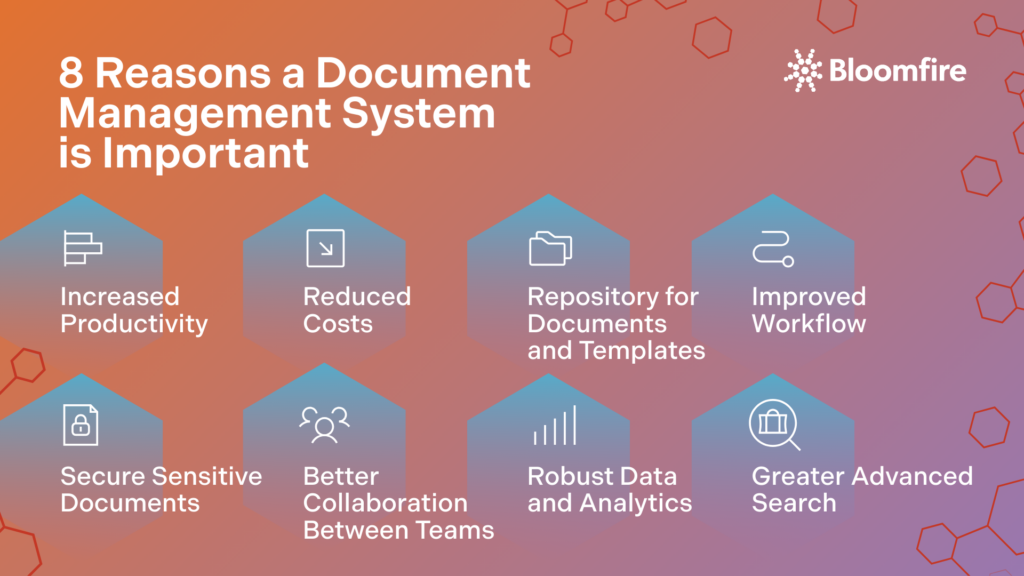
1. Increased Productivity
A document management system boosts productivity by centralizing files so employees spend far less time hunting through email, shared drives, or paper folders to find what they need. Standardized naming, metadata, and version control reduce rework, errors, and duplicate effort on outdated documents. According to Bloomfire’s Value Report, shows that employees typically spend 8–10 hours per week searching for information, meaning a well‑implemented DMS can reclaim a full workday of productive time each week per knowledge worker
2. Reduced Costs
Reduced costs come from cutting paper, printing, storage, and manual handling, as well as from shrinking the time spent on repetitive document tasks. Digital workflows lower the risk of expensive mistakes, such as using the wrong version of a contract or losing a critical record. Over time, these savings compound through fewer physical archives, less clerical work, and faster cycle times for processes like onboarding or approvals.
3. Repository for Documents and Templates
Serving as a central repository for documents and templates, a DMS keeps official forms, contracts, and branded materials in a single, trusted location. This reduces inconsistencies caused by teams storing their own versions on local drives or reusing outdated templates. When everyone accesses the same approved content, organizations present a more consistent brand, reduce errors, and speed up document creation.
4. Improved Workflow
An improved workflow is achieved by automating the movement of documents through the review, approval, and publishing stages. Instead of relying on email chains, the system routes items to the right people, sets due dates, and triggers reminders. This structure shortens turnaround times, ensures accountability, and makes bottlenecks visible so processes can be refined.
5. Secure Sensitive Documents
To secure sensitive documents, a DMS applies role‑based access controls, encryption, and detailed activity logs to protect confidential information. Fine‑grained permissions ensure only authorized users can view, edit, or share specific files. These security controls help organizations meet regulatory obligations, reduce the risk of data leaks, and respond more effectively to audits or investigations.
6. Better Collaboration Between Teams
In a DMS, people can access and work on the same documents in real time, rather than exchanging attachments, resulting in greater collaboration. Commenting, annotations, and shared workspaces keep feedback connected directly to the document, so context is never lost. This improves transparency, reduces conflicting versions, and helps cross‑functional teams coordinate more effectively.
7. Robust Data and Analytics
Data and analytics from a DMS reveal how documents and processes actually perform, such as how long approvals take or which teams generate the most exceptions. Reports and dashboards can highlight inefficiencies, compliance risks, or opportunities to streamline workflows. A 2023 AIIM report emphasizes that organizations using 7–10 separate information repositories increased to 14.42% in 2023, and stresses the need for integrated analytics across systems, something modern DMS platforms are increasingly delivering.
8. Greater Advanced Search
Greater advanced search capabilities result in seamless access to information by locating documents with keywords, metadata, full‑text content, or even combinations of filters in seconds. This is a significant improvement over traditional folder browsing, where files can easily be misfiled or lost. Advanced search, like enterprise search, reduces frustration, shortens new staff training time, and ensures critical information is always discoverable when decisions need to be made quickly.
How to Choose the Right Document Management System
Choosing the right document management system starts with defining your needs: identify your document volumes, key pain points, and any compliance or retention rules you must satisfy. From there, build clear requirements for must-have features such as secure access controls, versioning, workflow automation, and integration with tools you already use.
Next, evaluate potential systems on usability, scalability, and total cost of ownership by requesting demos, testing with real use cases, and checking how easily your team can learn the interface. Finally, consider vendor factors such as security certifications, implementation and migration support, ongoing training, and responsiveness of customer service, then pilot your top choice before a full rollout to validate fit and adoption.
Elevating Business Efficiency with Effective Document Management
A well-implemented document management solution turns scattered, unreliable files into a single, trustworthy backbone for your daily operations. When documents are easy to find, properly controlled, and consistently governed, teams work faster, make better decisions, and reduce risk across the organization.
The key is selecting a solution that combines powerful search, security, workflow, and analytics with an interface your people will actually use. A platform like Bloomfire brings these capabilities together in a centralized, searchable knowledge hub, helping you turn everyday documents into shared, actionable insight.
No, a document management system is not an Enterprise Resource Planning system, as they solve different problems. ERP focuses on managing structured transactional data for processes like finance, HR, and supply chain, while a DMS manages unstructured content such as contracts, emails, and reports that support those processes. In fact, the two systems often complement each other, with ERP handling the numbers and workflows and the DMS storing and controlling the related documents.
A DMS supports compliance and information governance by enforcing consistent retention schedules, access controls, and audit trails across all documents. It centralizes records so policies can be applied uniformly and provides documented evidence of who accessed what and when, which is crucial for audits and regulatory reviews.
Modern document management tools keep sensitive documents secure through role‑based permissions and centralized access, rather than uncontrolled file copies. Users collaborate by working on the same master document in the system, with changes tracked and permissions enforced, no matter where they are located. This approach allows controlled sharing and real‑time collaboration while reducing risks from emailing attachments or using unsecured storage.
Management over version control and permissions prevents confusion, errors, and unauthorized changes by ensuring everyone works from the latest approved document. Versioning records show who changed what and when, supporting accountability and allowing rollbacks if mistakes occur. Fine‑grained permissions ensure that only appropriate users can view or edit key records, which is especially important for quality, legal, and compliance‑critical documentation.
If your staff struggles to find documents, relies heavily on email attachments, or maintains multiple conflicting versions of important files, your organization should invest in a DMS. Other readiness signals include upcoming server upgrades, increasing compliance demands, growth in remote or hybrid work, or the implementation of new core systems, such as ERP or finance software, that require better document integration. If two or more of these conditions apply, it is often the right time to evaluate DMS options as part of a broader digital transformation effort.
Note: This blog was published in July 2024 and was most recently updated and expanded in February 2026
Use Bloomfire for Your DMS Needs
Learn how Bloomfire is the leading platform to help with Document Management
Learn more!
How Self-Healing Knowledge Bases Work: A Closer Look Into Bloomfire’s Content Reliability

How Conflicting Content Detection Protects Answer Accuracy

Salesforce Einstein + Bloomfire: Smarter Answers Inside the CRM

Build your knowledge ecosystem
Connect knowledge pools of documents, conversations, media, data, and expertise with your Persistent Semantic Memory™ to ground your AI. Use our turn-key of connectors or build your own to connect to any enterprise systems.

Sign up for Innovation
The pace of innovation with AI is accelerating. Join an alpha group for early access to new turnkey Intelligence Modules, and help shape what comes next.