
How to Encourage Employees to Use New Technology

Emma Galdo is a customer success leader with deep expertise across the full knowledge management lifecycle—from implementation to long-term value realization. Throughout her tenure at Bloomfire, she’s held leadership roles across customer success, product operations, and marketing—giving her a 360° view of what it takes to build knowledge programs that scale.

Executive Summary:
Learn how to turn new technology into an everyday, trusted part of work by clearly tying tools to personal benefits, training people through practical and engaging experiences, supporting them continuously, and tackling the human barriers that so often derail adoption.
Every year, companies invest millions in new tools, platforms, and AI systems, only to watch them sit half‑used, misunderstood, or quietly abandoned. The real problem is rarely the technology itself—it’s getting employees to actually adopt it, rely on it, and make it part of their day-to-day work.
Introducing new technology to employees starts with showing them what’s in it for them, not just for the business. When people see how a new tool saves them time, reduces friction, and makes their work feel lighter, they stop viewing it as another change to endure and start seeing it as an upgrade they can’t afford to ignore.
When adoption rises, so does productivity, collaboration, and confidence across teams. If you’re ready to turn resistance into routine use, read on to explore six practical, human‑centered ways to encourage employees to adopt new technology and keep using it.
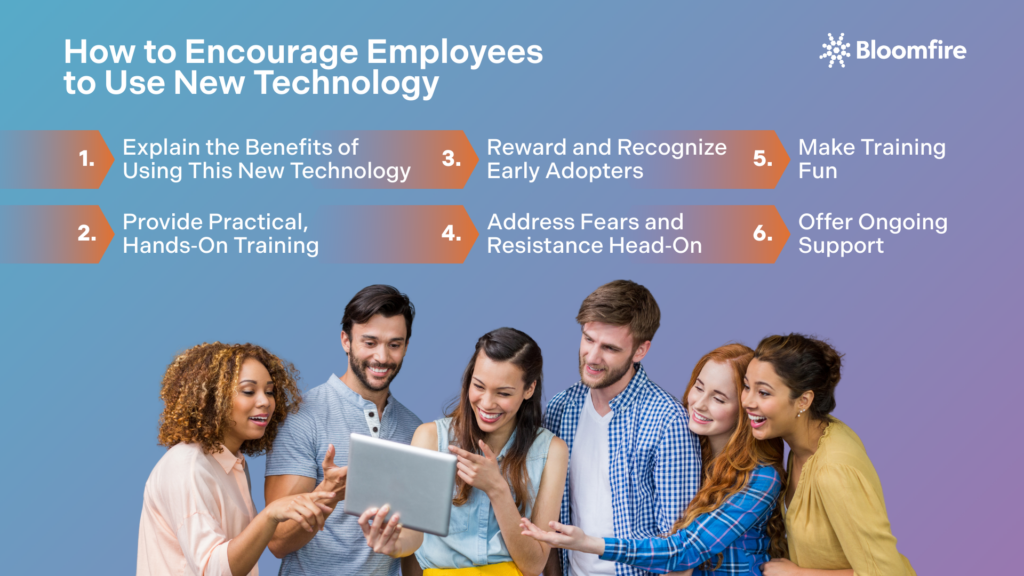
1. Explain the Benefits of Using This New Technology
Your employees are asking one silent question: “What is in this for me?” If the answer is just company efficiency or better data for management, you have already lost them. You must translate high-level organizational goals into personal, tangible wins for the individual user.
Don’t sell the features; sell the relief.
Instead of: “This CRM has better data integrity features.”
Say: “You will no longer have to manually fix client phone numbers every Friday.”
Instead of: “We are migrating to a cloud-based project management suite.”
Say: “You can finally approve proofs from your phone without logging into the VPN.”
When you link the new technology to reduced menial work, faster finish times, or fewer errors, adoption shifts from a mandate to a personal advantage. Recent research on software adoption shows that employees who clearly see how a new tool lightens their daily load are significantly more likely to use it consistently and recommend it to peers.
Likewise, emerging work on AI‑driven environments finds that employees who believe technology frees them from repetitive tasks and creates space for higher‑value work report higher satisfaction and engagement. When the narrative is “this is here to make your life easier,” buy‑in follows naturally.
2. Provide Practical, Hands-On Training
Passive learning, such as watching a webinar or reading a 50-page PDF, rarely translates into confidence. To drive true adoption, you must accommodate different learning styles with a heavy emphasis on doing rather than watching.
Effective training programs should follow a Show, Do, Review model:
- Sandbox Environments: Give employees a safe, dummy version of the software where they can click buttons, delete files, and make mistakes without breaking anything live. This reduces the fear of breaking something real and lets people experiment until they feel comfortable.
- Role-Specific Workshops: Don’t force the sales team to sit through the same training as the accounting team. Tailor sessions so users only learn the workflows relevant to their daily tasks. When training maps directly to what people actually do, retention and usage shoot up. Systematic reviews show that job‑embedded, practice‑oriented programs lead to deeper competence and more meaningful technology integration.
- Micro-Learning: Break complex systems into searchable, 2-minute videos (e.g., “How to Reset Your Password” or “How to Export a PDF”) so help is available exactly when they need it. Short, on‑demand content fits modern attention spans and supports continuous learning, not just a one‑time event.
3. Reward and Recognize Early Adopters
Adoption follows a bell curve. You don’t need to convince everyone at once; you just need to energize the innovators and early adopters who will influence the rest of the workforce. These champions are your internal influencers: when they speak, their peers listen more closely than they do to executive emails.
Support must be omnipresent and friction-free:
- Gamification: Create a leaderboard for the first month. Award points for logging in, completing a profile, or finishing a tutorial. Gamified learning and adoption programs have been shown to boost engagement and retention, reinforcing desired behaviors without relying solely on top‑down directives.
- Public Kudos: Use town halls or newsletters to highlight specific teams that have fully migrated. “Shout out to the West Coast team for hitting 100% adoption this week!” Visible recognition turns early adopters into role models instead of outliers.
- Tangible Perks: Offer small but desirable rewards like a coffee gift card, a half-day off, or company swag, to those who master the tool first and help others learn it. Incentive‑driven adoption programs demonstrate that thoughtfully designed rewards not only accelerate early use but also create a culture where peers actively encourage one another to adopt new tools.
When employees see real colleagues winning, being recognized, and making their jobs easier with the new technology, it reframes adoption from a mandate into a movement. It becomes something they actively want to be part of, not something they passively endure.
4. Address Fears and Resistance Head-On
Resistance is rarely about stubbornness; it is usually about fear. When a new tool is introduced, employees often worry: Will this make my skills obsolete? Will this expose that I’m not tech-savvy? Will this automation take my job?
You cannot overcome these fears by ignoring them. You must articulate them before your employees do. Hold open forums where all kinds of questions are encouraged. Be transparent about what the workplace technology will do and, crucially, what it won’t do. If the tool is meant to automate administrative work so they can focus on strategy, say that clearly.
Employees who resist new technologies most strongly when they believe their jobs are at risk or when they distrust how the system will behave. Transparent communication, clear boundaries around what will be automated, and structured involvement in shaping workflows significantly reduce resistance and increase readiness. Reassurance backed by training transforms anxiety into curiosity, turning skeptics into advocates.
5. Make Training Fun
The words mandatory software training usually induce groans, but they don’t have to. If you make the discovery process engaging, you lower the emotional barrier to entry. When people are laughing, competing a little, and seeing quick wins in real time, they stop focusing on the obligation and start focusing on the possibilities.
Here are a few ways to inject energy into the rollout:
- Digital Scavenger Hunts: Create a checklist of tasks hidden inside the new software. The first ten people to find the Easter egg or complete the list win a prize. When game mechanics are woven into training, engagement can rise dramatically, and knowledge retention improves.
- Launch Parties: Host a physical or virtual launch event. If people associate the new tool with pizza, music, and a break from the routine, the initial association is positive rather than burdensome. Fun, low‑pressure experiences make adoption feel like a celebration, not a chore.
- Reverse Mentoring: Pair younger, tech-native employees with senior leaders to help them learn the system. This flips the hierarchy, making the learning process collaborative rather than directive.
6. Offer Ongoing Support
The biggest drop-off in employee adoption of new technology occurs about two weeks after launch, when the initial training fades, and the first real-world bug appears. If support is hard to find, employees will revert to their old ways immediately.
Support must be omnipresent and friction-free:
- The Genius Bar Concept: Set up open office hours (virtual or physical) where anyone can drop in to ask a quick question without filing a formal IT ticket. This mimics the responsiveness employees expect from consumer‑grade digital experiences and keeps barriers low.
- Slack/Teams Channels: Create a specific channel where users can ask questions and where peers can answer them. This builds a community of knowledge that sustains itself.
- Iterative Feedback Loops: Regularly ask, “What is frustrating you about this tool?” If a specific button is hard to find, fix it or teach it. Showing that you are listening to their struggles builds the trust necessary to keep them trying.
Continuous, easily accessible support is one of the strongest predictors of sustained use, particularly as hybrid work and cloud‑driven environments increase the need for remote, context-aware help. When employees know help is close at hand, they’re far more willing to lean into the learning curve rather than bail.
Boost Adoption with Bloomfire
Drive faster, more consistent tech adoption by connecting employees with knowledge, champions, and support in one place.
Learn More!
What Are The Challenges of Adopting New Technologies?
Introducing employees to new technology is rarely just a technical project; it’s a human one. Employees bring habits, anxieties, and competing priorities to every change, and when those are ignored, the best‑designed tools sit unused. Understanding the most common adoption barriers gives you a roadmap to design interventions that actually move people, not just software.
Ready to diagnose your organization’s biggest adoption barrier? Use the breakdown below to pinpoint where your teams are struggling and target your next initiative with precision.

1. Resistance to Change Across the Workforce
Resistance to change is one of the most consistent barriers to workplace technology adoption, with research showing that roughly 38% of employees cite fear of the unknown as their primary reason for pushback when new tools are introduced. When long-standing workflows are disrupted, employees experience anxiety, perceived loss of control, and short‑term productivity drops—emotional and practical costs that can quickly derail a rollout.
Scholarly work on digital‑era change management emphasizes that this resistance is not irrational; it reflects valid concerns about competence, workload, and purpose. People are not resisting change because they hate progress; they’re reacting to the uncertainty of how it will change their work and their value. Effective organizations address it by involving employees early, communicating transparently, and aligning the new technology with visible, personal benefits rather than abstract corporate goals.
Think of resistance as a red flag, not a character flaw. When you treat it as feedback rather than opposition, you can reframe adoption as a shared journey instead of a top‑down mandate.
2. Poor User Experience and Complex Interfaces
A powerful tool is useless if employees find it confusing or cumbersome to use. When interfaces are cluttered, workflows are unintuitive, or navigation feels like a scavenger hunt, people gravitate toward the systems they already know—even if those systems are objectively worse.
Recent UX and employee‑experience research shows that today’s workforce expects technology to feel almost invisible: it should adapt to them instead of the other way around. When that expectation isn’t met, adoption stalls, error rates creep up, and support tickets multiply.
Effective organizations treat UX as a strategic priority, not a cosmetic afterthought. That means:
- Conducting usability testing with real users before scale‑out.
- Streamlining navigation and hiding advanced features from beginners.
- Designing role-specific layouts so employees only see the tools they need, not everything the system can do.
When technology feels intuitive rather than intimidating, the natural response is curiosity, not avoidance. People lean in to experiment, ask questions, and uncover value on their own instead of waiting to be forced.
3. Change Fatigue from Constant New Tools
When employees face one new system after another, they quickly experience what organizational psychologists call digital tool fatigue, a form of change fatigue that erodes mental well‑being and productivity. Prolonged exposure to rolling change without clear consolidation or deprecation of legacy tools leads to cynicism and a “wait‑it‑out” mindset, where adoption becomes selective and superficial.
Employees aren’t refusing to learn because they’re lazy; they’re responding to the cognitive overload of constantly relearning processes and contexts.
Smart organizations counter digital tool fatigue by:
- Staging rollouts so teams can master one tool before the next enters the ecosystem.
- Sunsetting older systems that overlap with the new one, so employees don’t have to maintain parallel workflows.
- Communicating a clear roadmap so people know when change is coming—and when they can breathe.
When change feels intentional and finite, it becomes something to plan for instead of something to dread. It signals to employees that there’s a clear path, support, and end state, not just another disruption.
4. Inconsistent Adoption Across Teams and Locations
Adoption that looks strong on paper can quickly fracture across geography, department, or leadership style. Decentralized rollouts often create pockets of high adoption and dead zones of low usage, undermining data integrity, collaboration, and ROI. Remote teams, global offices, or decentralized units may receive training later, struggle with language or time‑zone barriers, or simply lack local champions who model the new behavior.
To close the gap, organizations need:
- Clear ownership: Designate adoption leads for each region or department who are accountable for usage metrics.
- Localized support: Run regional training sessions, translated materials, or “champion squads” whose job is to help their immediate peers.
- Centralized monitoring: Track adoption by team, location, and role so you can intervene early where numbers lag.
Uniform adoption is rarely accidental; it’s the result of deliberate design and follow‑through. When leaders are intentional about how new tools are introduced, supported, and reinforced, employees are far more likely to embrace and sustain the change.
5. Fear of Job Loss or Skill Obsolescence
Underneath many adoption challenges lies a quieter, more toxic one: the fear that workplace technology will replace people, not enable them. Studies on digital‑AI transformation show that employees increasingly perceive automation as a threat to job security, especially when reskilling is under‑communicated or underfunded. This job insecurity spikes during rapid rollouts, even if the stated goal is augmentation, not replacement.
Organizations that acknowledge this anxiety directly and map out a realistic path forward see increasingly lower resistance. Instead of vague promises about more strategic work, they explain which tasks will be automated, which will stay human‑driven, and where new opportunities for growth or expanded responsibilities will open up. By pairing transparency with visible upskilling programs built around the new tools, leaders reframe the technology as a force that reshapes roles rather than obliterates them.
Making Adoption Stick: Integrating New Technology into Everyday Work
Adoption is not a checkbox at the end of a project; it’s the measure of whether the technology truly belongs in your organization. The six approaches outlined in this piece all work toward one outcome: new tools stop being “the new system” and start being how people actually do their work every day. When employees see the technology as a natural extension of their workflow rather than a separate chore, you know the rollout has succeeded.
At the same time, the challenges of introducing new technology to employees remind us that it is only as powerful as the human experience around it. The most advanced platform will underperform if it ignores the habits, anxieties, and motivations of the people expected to use it. By treating adoption as a cultural and behavioral process first, you create the conditions where new technology doesn’t just get used, it becomes indispensable.
Adopt Technology Faster with Bloomfire
Bloomfire makes adoption easier by turning scattered knowledge into a searchable hub that teams actually use and trust.
Explore How!
Modern technology has streamlined workflows, reduced manual tasks, and enabled faster, more flexible collaboration, especially for remote and hybrid teams. It gives employees instant access to information, data, and tools that support better decision‑making and fewer errors. When implemented thoughtfully, these advances free people from drudgery and allow them to focus on higher‑value, creative work.
Most organizations see real adoption build over 4–12 weeks, depending on how well training, communication, and support are aligned. The first few weeks are often about getting people comfortable, while sustained use settles in as leaders model the behavior and champions reinforce it. Consistent reinforcement and easy access to help shorten the ramp‑up and prevent reversion to old tools.
New tools often automate repetitive tasks rather than entire jobs, shifting the focus of work toward higher‑level thinking, judgment, and relationship‑driven activities. When organizations pair technology with clear communication, upskilling, and role evolution plans, employees are more likely to see change as growth, not replacement. The risk of job loss is highest when automation is introduced without reskilling, transparency, or support for transition.
Bloomfire helps with technology adoption by providing a centralized, easy-to-use knowledge management platform that streamlines information access, reduces search times, and eliminates content duplication. Its AI-powered enterprise search and advanced tagging make content more discoverable and relevant for different user groups, which enhances user experience and drives higher adoption rates. This continuous, on‑demand support helps teams get comfortable faster, stay confident, and keep using the technology consistently over time.
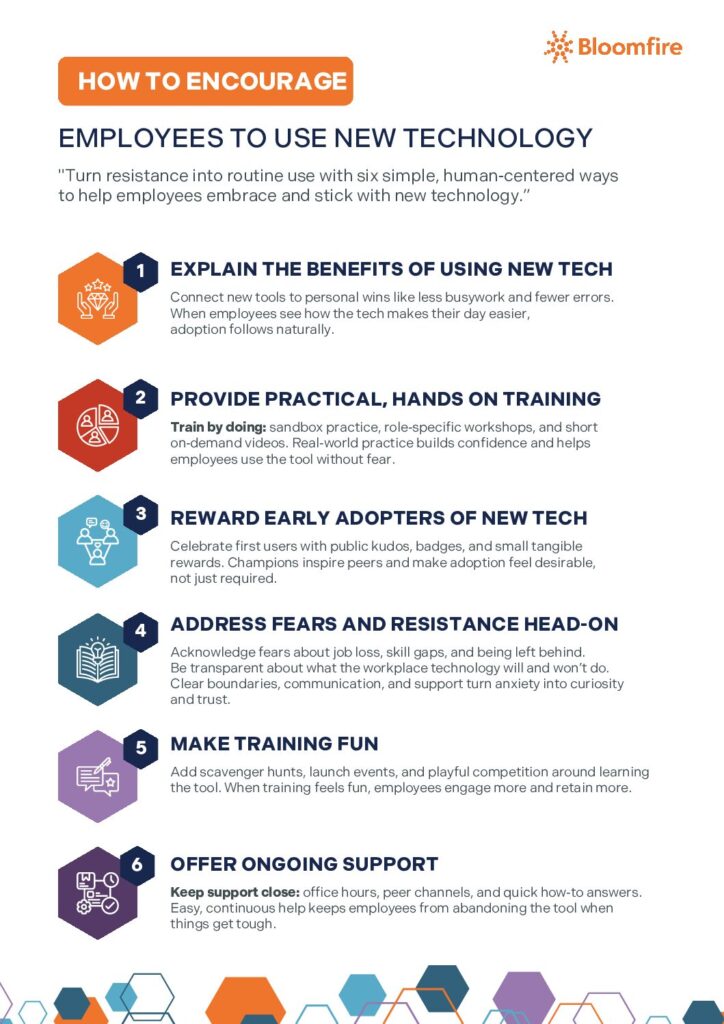
Explore our Infographic below:
Emma Galdo is a customer success leader with deep expertise across the full knowledge management lifecycle—from implementation to long-term value realization. Throughout her tenure at Bloomfire, she’s held leadership roles across customer success, product operations, and marketing—giving her a 360° view of what it takes to build knowledge programs that scale.

Knowledge Management Cycle: From Theory to Real-World Implementation

Why SharePoint Cleanup Projects Fail

What Is Social Collaboration? Navigating the New Era of Digital Teamwork

Estimate the Value of Your Knowledge Assets
Use this calculator to see how enterprise intelligence can impact your bottom line. Choose areas of focus, and see tailored calculations that will give you a tangible ROI.

Take a self guided Tour
See Bloomfire in action across several potential configurations. Imagine the potential of your team when they stop searching and start finding critical knowledge.