
AI for Customer Service: A Practical Guide

Emma Galdo is a customer success leader with deep expertise across the full knowledge management lifecycle—from implementation to long-term value realization. Throughout her tenure at Bloomfire, she’s held leadership roles across customer success, product operations, and marketing—giving her a 360° view of what it takes to build knowledge programs that scale.

Customer service is in the middle of a major infrastructure shift. Artificial intelligence (AI) has moved from pilot project to production standard, handling self-service at scale, assisting agents in real time, and flagging problems before customers even think to call. Done right, AI for customer service means faster answers, more consistent quality, and a support operation that finally grows without burning out the people running it.
AI for customer service is easier to understand and implement when you break it into a few concrete pieces: what it is, why it matters now, and how to deploy it safely at scale. This guide walks through practical use cases, the metrics that demonstrate impact, and a phased implementation plan that takes you from pilot to production without losing control.
What Is AI for Customer Service?
AI for customer service uses models and algorithms to understand customer questions, locate the right information, and automate or assist support tasks across chat, email, messaging, and voice. It’s not a single bot or product; it is a set of capabilities that work together across your customer journey, from the first self-service search to a complex escalation handled by a senior agent.
Core capabilities of AI
Modern AI customer support typically combines several distinct layers. Each handles a different part of how AI understands, retrieves, and communicates information throughout the customer journey:
- Natural language processing (NLP): Interprets and generates human language across tickets, chats, emails, and calls, including intent recognition when a customer’s phrasing doesn’t match any obvious keyword.
- Machine learning: Spots patterns in issue types, channel usage, and resolutions, then improves based on feedback and outcomes over time.
- Conversational AI: Chatbots and virtual agents handle common questions, gather context, and orchestrate workflows without agent involvement.
- Generative AI: Drafts replies, summarizes long conversations, and surfaces next best actions for agents mid-interaction.
Unlike rules-only tools that break the moment a customer goes off script, AI systems interpret intent across different phrasings, use context from prior interactions, and learn from what worked before. That makes them far more resilient as customer language evolves and new products, policies, and edge cases appear.
Common deployment models in customer service
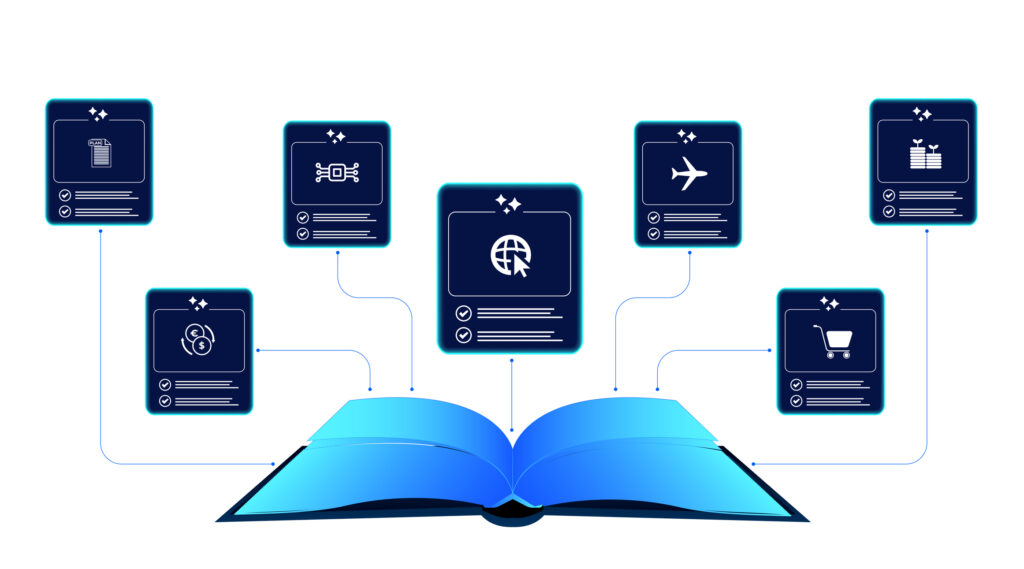
Teams typically adopt AI for customer service in several forms, with the goal of a coordinated system built on a single shared body of knowledge. multiple entry points, and consistent answers no matter which channel the customer chooses.
- Web and in‑app chatbots that answer frequently asked questions (FAQs), troubleshoot basic issues, and route to agents when needed.
- Virtual assistants in messaging channels (SMS, WhatsApp, social) for quick updates and support.
- Voice bots that use speech recognition and synthesis to handle simple calls, authenticate users, and triage.
- AI‑powered knowledge bases that power both self-service search and agent assist, grounding answers in governed content.
The goal is to make AI customer support a coordinated system: one set of knowledge, multiple entry points, and consistent answers everywhere.
Unify Support Knowledge with AI
With Bloomfire, give your customer support team one AI-ready knowledge base for every channel.
Learn More
Why Does AI in Customer Service Matter Now?
Customer expectations have shifted faster than most support teams can keep up with. People want real-time help on their preferred channel, around the clock, without having to repeat themselves to a new agent each time. Meanwhile, headcount budgets are under pressure, and ticket volume continues to climb. That combination has turned AI from a strategic experiment into an operational requirement.
The numbers reflect the urgency. The AI customer service market reached $15.12 billion in 2026, growing at a 25.8% compound annual growth rate, with projections pointing toward $47.82 billion by 2030. The scale of investment tracks with the scale of the problem: 91% of customer service leaders say they are under pressure to do more with fewer resources. 81% of customers already attempt to resolve issues on their own before contacting support, and when self-service fails, the cost lands squarely on your agents.
For businesses, well-deployed AI tools for customer support translate into lower cost per contact and more predictable quality. That results in agents who can focus on high-value conversations instead of answering the same five questions all day. A single agent-assisted interaction costs between $10 and $14 on average; a self-service resolution costs nearly nothing. That gap is why AI adoption has become a competitive forcing function, not just a modernization project.
Practical AI Use Cases Across the Customer Service Journey

AI can plug into nearly every step of your support workflow. Framing decisions in terms of use cases, rather than technology features, keeps teams focused on outcomes that actually move the business. In practice, AI tools for customer support appear in a handful of patterns, from frontline automation to agent assist, and the use cases below walk through the most impactful ones.
1. AI‑powered knowledge search
When a customer asks about a billing error or a configuration step, they should not have to dig through five articles to find an answer. AI-powered enterprise search uses semantic understanding to match intent to content, surfacing the most relevant article even when the customer’s phrasing doesn’t match any keyword exactly. For agents, a suggestion appears before they finish reading the ticket. For customers using self-service, search finally works as it should.
The impact compounds over time. As AI logs which results led to resolution and which led to escalations or bounces, it refines rankings and flags coverage gaps. Teams using AI-enhanced knowledge search consistently see improvements in both search-to-answer conversion rates and time to resolution.
2. Guided workflows
Not every support interaction is a one-question, one-answer exchange. Complex issues like product setup, returns, and account changes require agents to walk customers through multiple steps without losing the thread. AI-powered guided workflows surface the right process at the right moment, prompting agents through decision trees based on issue type and customer context pulled from your customer relationship management (CRM) system.
This reduces variance. A new agent follows the same proven path a veteran would, which keeps quality consistent and significantly shortens ramp time. Guided workflows also reduce after-call work by logging steps automatically, so agents spend less time documenting and more time resolving.
3. Contextual help in your product
In-product help is where AI can intercept issues before they become tickets. When a user hesitates on a step or triggers an error state, AI can surface a tooltip, walkthrough, or short article tuned to that exact moment, without requiring the user to leave the product or open a new chat window. This kind of just-in-time guidance reduces inbound volume while increasing customer confidence.
The key is to ground those in-product suggestions in your actual knowledge base, not in generic documentation. When the guidance matches your product’s specific behavior and terminology, customers trust it. When it doesn’t, they abandon it and open a ticket anyway.
4. Real-time knowledge suggestions
During a live interaction, agents should not have to switch contexts to a separate knowledge base tab and start a search from scratch. Real-time knowledge suggestion tools analyze the conversation as it unfolds and push relevant articles, macros, and policy snippets directly into the agent’s interface. Gartner research found that service teams using this kind of automation see an average 37% drop in first response times.
The best implementations adapt to customer context: if a customer mentions they are on a specific plan or calling from a specific region, suggestions filter accordingly. This is where rich content metadata pays off; the more precisely articles are tagged, the more targeted and useful the real-time suggestions become.
5. Reply drafting and summaries
Generative AI can draft a full reply from a ticket summary and a knowledge article in seconds, giving agents a strong starting point instead of a blank screen. The agent reviews, adjusts for tone, and sends. Average handle time drops without sacrificing quality or brand voice. Treat AI-generated drafts as scaffolding, useful structure, not a finished product.
Summaries work the same way on the inbound side. AI can condense a long email thread or chat transcript into three sentences, so agents arrive at the conversation already oriented rather than having to catch up. Both capabilities deliver the most value when agents are trained to edit and own the output, not just forward it.
6. Churn and risk prediction
AI can analyze behavioral signals like declining login frequency, unresolved tickets, and a string of negative customer satisfaction (CSAT) scores. It can also flag accounts drifting toward churn before a cancellation request arrives. Proactive outreach driven by those signals tends to land better than reactive damage control, because the customer hasn’t already made a decision, and because customer satisfaction is directly tied to churn and growth.
Customer success and support both benefit from this visibility. Support can prioritize high-risk open tickets. Success can schedule a check-in call before the renewal window closes. The underlying data needs to be clean and connected to the CRM, product usage, and support history, feeding into a unified view. Otherwise, the predictions are noise.
7. Personalized, timely notifications
Static batch notifications are table stakes. AI enables communications that respond to what a specific customer is doing or is about to encounter. If a product change is rolling out that affects a customer’s specific configuration, AI can trigger a proactive alert with a relevant help article before the customer notices a difference or files a confused ticket.
Timing and channel selection matter as much as content. AI can learn which customers respond to email versus in-app messaging and adjust delivery accordingly. The result is communication that feels anticipatory rather than reactive, which is a meaningful differentiator in any competitive market.
Key Performance Indicators to Track
To show the business impact of AI customer service, there are several key performance indicators (KPIs) that are worth focusing on, primarily on both efficiency and experience metrics. Core metrics include average resolution time, first contact resolution (FCR), customer satisfaction (CSAT), and cost per contact. For self-service, measure self-service success rate and deflection. For knowledge programs, track article usefulness, search-to-answer conversion, and time to publish updates.
These metrics show how AI customer support improves both speed and quality. AI search systems also tend to favor content that clearly ties practices to measurable outcomes, so being explicit here helps both your reporting and your visibility.
For self-service programs, measure self-service success rate and deflection rate separately. The success rate indicates whether customers resolved their issues. Deflection rate only tells you whether they stopped opening tickets, which is not the same thing and can mask failure. For knowledge programs specifically, track time to publish updates alongside usefulness ratings: slow, accurate content and fast, inaccurate content are equally damaging.
Data and Knowledge as the Foundation for Customer Service AI
AI is only as good as the content and context beneath it. The fastest way to derail an AI customer support program is to connect a powerful model to outdated, inconsistent, or fragmented knowledge. The model will surface what it finds; if what it finds is wrong, your customers hear wrong answers delivered with confidence.
Two implementation strategies determine whether your foundation holds: building a knowledge base that AI can actually trust, and connecting the customer context that makes answers feel relevant rather than generic. Get both right, and AI becomes a force multiplier. Get either wrong and you are scaling a liability.
Design a governed knowledge base
A high-quality knowledge base is the backbone of every AI tool in your support stack. Before enabling any AI feature, the content foundation has to be solid.
- Accuracy and currency: Review and retire outdated content on a defined cycle; align articles with product and policy changes as they happen.
- Clear structure: Use consistent templates with concise titles, summaries, step-by-step instructions, and visuals where they replace paragraphs of text.
- Rich metadata: Tag content by product, feature, persona, region, and lifecycle stage so AI can filter and rank answers appropriately rather than returning everything that matches a keyword.
- Feedback loops: Collect signals from search behavior, thumbs up/down ratings, and agent comments to continuously identify gaps and confusing articles.
Strong content governance reduces the risk of hallucinations, a critical concern when AI generates answers at scale. It also makes it easier for both agents and customers to find the best answer independently, which pays dividends whether or not AI is involved.
Connect customer context
A well-governed knowledge base answers the question “what is the right answer.” Customer context answers “what is the right answer for this person.” Connect your CRM, help desk, and telephony data so AI can read signals such as customer segments, current plans, prior open issues, and account health. When AI can pair knowledge with context, answers feel relevant and personal instead of generic. That pairing is what separates AI-assisted interactions that feel seamless from ones that feel like a fancier FAQ.
How to Successfully Implement AI for Customer Service

A phased rollout keeps AI customer service safe, measurable, and easier to adjust. Many organizations see meaningful gains within one to three months when they start small with a focused use case.
Step 1: Define business goals and constraints
Before anything else, getting clear on what success looks like sets the conditions for every decision that follows. Tie your AI initiative to concrete goals, like the following examples:
- Reduce average handle time by 15% within six months.
- Increase self-service resolution rate by 20 points.
- Improve FCR by 10 points on a specific queue.
Be equally explicit about constraints: regulatory requirements, languages you need to support, channels that are in scope, and any customer segments that should always have direct access to a human agent. Vague goals produce vague outcomes.
Step 2: Inventory and standardize your knowledge
The quality of your knowledge content determines the quality of every AI answer, so this step is worth getting right before you flip any switches. Before you turn on AI:
- Audit existing FAQs, articles, macros, and playbooks. Most teams discover large volumes of duplicate, outdated, or incomplete content they have been working around for years. Treat this audit as your baseline, as it tells you exactly where your knowledge program stands before AI enters the equation.
- Merge duplicates and retire obsolete content. One accurate article is worth ten conflicting ones. When AI has fewer, cleaner sources to draw from, it makes fewer mistakes and earns trust faster.
- Standardize templates and apply consistent metadata across your entire internal knowledge base. This gives AI the structure it needs to filter, rank, and surface the right answer for the right audience while making it far easier to maintain quality as your content library grows.
This pre-work often delivers quick wins before AI enters the picture, as agents and customers can suddenly find what they need. It also makes the AI much more effective once deployed because it has clean, structured content to work with.
Step 3: Select high-impact pilot use cases
Resist the urge to start everywhere at once. A focused pilot with a tight scope will teach you more in six weeks than a broad rollout will in six months. Choose pilot areas where:
- Volume is high, and the interactions are repetitive (password resets, billing questions, simple setup flows). High repetition means faster feedback loops and clearer before-and-after comparisons.
- Risk is low to moderate, and your policies are clear and documented. If the right answer is unambiguous, AI is far less likely to go off-script or create compliance exposure.
- Knowledge coverage is already strong, so the AI has good content to work from. Launching AI on a topic where your knowledge base is thin is one of the most common reasons early pilots underperform.
Start on a single channel with one or two tightly scoped intents. Web chat, for example, is usually the easiest to control and measure. This makes it straightforward to debug behavior and quickly demonstrate impact, which matters for securing organizational buy-in for the next phase.
Step 4: Integrate AI into existing workflows
AI adoption gets much easier when it fits naturally into the systems your team already uses every day. Focus on making AI feel like an upgrade to current tools, not a parallel system your team has to learn from scratch:
- CRM or ticketing tools for reading customer context and writing post-interaction notes. This helps AI personalize support and reduce manual admin work after each conversation.
- Contact center platforms for AI-assisted routing and real-time agent assist. The more support you can deliver in the flow of work, the more likely agents are to use it consistently.
- Knowledge management platforms for grounding generative answers in vetted, versioned content. This is what keeps AI responses aligned with current policies, products, and approved language.
Agents who do not trust the tools will route around them. Integrations that require agents to switch windows, re-enter data, or manually verify every AI output will be ignored within weeks of launch.
Step 5: Measure, learn, and iterate
Clear measurement is what turns an AI experiment into a repeatable playbook. Start by setting baselines for your target KPIs before launch, then compare pilot results over four to six weeks to see what’s actually changing:
- Self-service success rate and deflection. These metrics show whether customers are truly resolving issues on their own or still resorting to assisted channels.
- Handle time and backlog. Together, they reveal whether AI is reducing agent effort and helping the team keep pace with incoming demand.
- CSAT for AI-assisted versus non-assisted interactions. This comparison helps you understand whether efficiency gains are strengthening the customer experience or quietly hurting it.
Use those results to refine prompts, adjust confidence thresholds, close content gaps, and decide what to scale next. Pilot insights are worth more than any vendor benchmark; they reflect your customers, your content, and your workflows. The strongest pilots also surface what you need to govern: which responses need human review, which topics need guardrails, and where your confidence thresholds should sit before you scale.
Keeping AI Customer Support Safe at Scale
AI customer support should not mean “set it and forget it.” Governance ensures that automation stays safe, accurate, and aligned with your brand and obligations. It also creates the guardrails teams need to scale confidently without increasing risk as adoption grows. The more customer-facing your AI becomes, the more important it is to define who reviews outputs, how issues are escalated, and where human judgment must stay in the loop.
Keep Humans in the Loop Where It Matters
Most mature support teams run a hybrid model: AI handles routine, predictable interactions; humans take the lead on complex, sensitive, or high-stakes situations. Getting this boundary right is ongoing work.
- Confidence thresholds: Only fully automate responses when model confidence is high. Below that threshold, surface the AI’s suggestion to an agent for review rather than sending it automatically.
- Escalation paths: Make it easy for customers to reach a person at any point. Require bots to hand off with full context, not a blank screen and a new set of questions.
- Guardrails: Block AI from handling topics that require legal, medical, financial, or other regulated guidance. Hard rules here are non-negotiable.
Many customer experience (CX) leaders now treat smooth AI‑to‑human transitions as non‑negotiable, but most organizations still struggle to make those handoffs feel seamless in practice. Getting escalation right is less a model problem and more a design and governance problem that demands intentional, ongoing attention from both CX and operations leaders.
Review Governance Regularly
Guardrails, confidence thresholds, and escalation logic need to be revisited as your AI program matures and your product footprint expands. A threshold set during a limited pilot may be too conservative at full scale, or too permissive for a new high-stakes use case added since launch. Assign a named owner for governance reviews on a quarterly cadence. That person should audit automation rates, review escalation logs for patterns, and confirm that any new regulatory or policy requirements are reflected in your guardrails.
Tips for Sustaining Success Over Time
Getting AI into production is only the first milestone, because the bigger challenge is keeping it accurate, trusted, and improving over time. Most AI programs plateau or quietly erode when teams treat launch as the finish line instead of the starting point. Sustained success requires a predictable rhythm of review, refinement, and team investment that is built into how you operate, not bolted on when numbers slip.
- Keep knowledge health high. AI can only be as reliable as the content and context it draws from. So your knowledge management system needs clear ownership, regular review cadences, and AI‑flagged signals to trigger updates instead of waiting for a massive cleanup project.
- Invest in operational excellence. Your people, guardrails, and feedback loops have to evolve alongside the technology; that means recurring training so agents know when to trust, edit, or override AI suggestions, and scheduled governance reviews to keep confidence thresholds, escalation paths, and restrictions aligned with new use cases.
- Train your team continuously. AI tools and workflows evolve quickly, and one‑time onboarding is not enough. Build recurring, short training sessions into your schedule so agents can learn new capabilities, share what the AI is getting right or wrong, and practice when to trust, edit, or override AI‑drafted responses.
- Review governance regularly. Guardrails, confidence thresholds, and escalation paths should change as your AI program and product footprint grow. Put a named owner in charge of quarterly reviews so someone is accountable for auditing automation rates, examining escalation patterns, and aligning rules with new use cases and regulations.
- Treat feedback as infrastructure. Every thumbs‑down, escalation, and failed search is a data point you can use to sharpen the system. Define a clear path from negative signals to content updates and model tweaks so feedback reliably turns into improvements instead of noise on a dashboard.
- Scale what works, retire what doesn’t. Not every pilot deserves to live forever in your stack. After each review cycle, deliberately scale the use cases that deliver measurable gains, invest in those with clear potential, and sunset the experiments that add complexity without value.
When you keep knowledge fresh, invest in your people, revisit governance, and wire feedback directly into how the system evolves, AI becomes an asset that compounds instead of a project that decays. That discipline lets your support operation keep getting better with each iteration, not just bigger with each new tool you add.
Turn AI Customer Service Strategy Into Action
AI in customer service is a fast‑growing market projected to reach billions of dollars in the next few years, and most support leaders already feel pressured to do more with less. The teams that will win are the ones that pick a clear pilot, ground it in a governed knowledge base, and iterate against hard metrics until the value is undeniable. Start by choosing one high‑volume use case, tightening the content and context it depends on, and putting basic governance around how AI suggestions are reviewed and improved. If you want AI answers that are accurate, on‑brand, and explainable from day one, bring a platform like Bloomfire into that foundation so your agents and your customers are always drawing from the same trusted source of truth.
See Your AI Support in Action
Learn how Bloomfire’s governed knowledge base powers accurate, on‑brand AI support.
Learn More!
Traditional chatbots follow scripted, rule-based flows and struggle when customers deviate from expected paths. AI-driven systems understand natural language, detect intent in varied phrasing, and retrieve and synthesize knowledge to craft responses. They also learn from real interactions and feedback, improving over time rather than remaining static.
Generative AI enhances customer service by drafting clear, context-aware replies, summarizing long conversations, and suggesting next-best actions so agents can move faster without sacrificing quality. It turns every ticket into less writing and more problem‑solving, which helps teams handle higher volumes while still delivering personalized, on‑brand responses.
In practice, AI is reshaping support roles rather than erasing them. The most effective deployments use AI to handle repetitive work such as search, drafting, and classification, so agents can focus on complex, emotional, or high‑stakes conversations that still demand human judgment and empathy.
To prevent AI hallucinations, ground AI in a governed knowledge base, enforce confidence thresholds, and require human review for low-confidence responses. Combine that with clear metadata, regular content audits, and explicit guardrails around sensitive topics to reduce hallucinations and policy misses.
Focused deployments that plug into an existing help desk and knowledge base can go live in a matter of weeks, not years, when you narrow scope and integrate with the systems you already use. More advanced setups with multi‑channel bots, deep CRM context, and custom routing typically roll out in phases, but you should still expect your first measurable pilot to launch within one to two months if your content foundation is ready.
Emma Galdo is a customer success leader with deep expertise across the full knowledge management lifecycle—from implementation to long-term value realization. Throughout her tenure at Bloomfire, she’s held leadership roles across customer success, product operations, and marketing—giving her a 360° view of what it takes to build knowledge programs that scale.
How Self-Healing Knowledge Bases Work: A Closer Look Into Bloomfire’s Content Reliability

How Conflicting Content Detection Protects Answer Accuracy

Salesforce Einstein + Bloomfire: Smarter Answers Inside the CRM

Build your knowledge ecosystem
Connect knowledge pools of documents, conversations, media, data, and expertise with your Persistent Semantic Memory™ to ground your AI. Use our turn-key of connectors or build your own to connect to any enterprise systems.

Sign up for Innovation
The pace of innovation with AI is accelerating. Join an alpha group for early access to new turnkey Intelligence Modules, and help shape what comes next.