
What is Customer Support Software, Where Knowledge Management Platforms Fit

Betsy leads the customer success and implementation teams at Bloomfire and is a Certified Knowledge Manager (CKM) from KM Institute. Passionate about the people side of knowledge engagement and knowledge sharing, she brings real-world experience in tackling the challenges companies face with knowledge management.
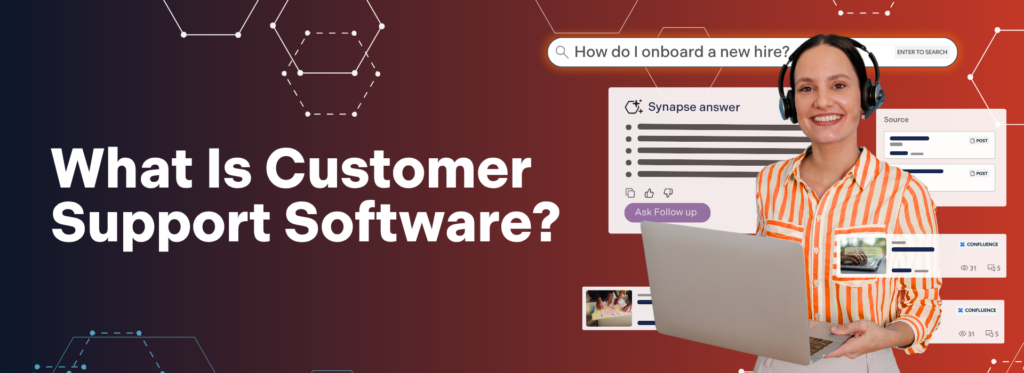
Customer support software is the collection of tools that organizations use to receive, route, and resolve customer inquiries across every channel. This typically includes ticketing systems, help desks, CRM (Customer Relationship Management) service modules, contact center platforms, and customer support knowledge management software.
Ticketing and routing platforms like Zendesk or Freshdesk focus on organizing and automating workflows. Customer support knowledge management systems (CS KMS) like Bloomfire focus on centralizing and surfacing accurate answers, so agents and customers can actually resolve issues quickly. When those systems work together, support teams stop hunting for information and start delivering consistent resolutions at scale.
This guide covers how customer support software ecosystems work and the role of a dedicated knowledge platform within that ecosystem. It also outlines the capabilities to look for in CS KMS software, how to measure ROI, and how leading organizations are using Bloomfire to transform their customer support operations.
Why Do You Need Customer Support Software?
You need customer support software because it’s the only reliable way to organize, route, and resolve growing volumes of customer inquiries across channels. It centralizes requests, ensures they reach the right person or system, and gives agents and customers the information they need to solve issues quickly. In an environment where a single negative interaction can send customers elsewhere, this infrastructure becomes essential rather than optional.
The pressure on customer support teams has never been greater. This pressure reflects a structural shift in how customers evaluate brands. Salesforce’s 6th State of Service report found that 86% of agents and 74% of mobile workers say customer expectations are getting higher. That same report found that 88% of customers say good service makes them more likely to purchase from the same company again.
On the operational side, information access is a persistent drag on performance. Research presented at the 2024 International Conference on Technology, Knowledge, and Society found that inefficient knowledge management practices cause employees to spend 15-25% of their working hours on information retrieval alone. A 2024 Forrester study commissioned by Microsoft corroborated this, finding that knowledge workers spend approximately 30% of their time looking for data across an average of 367 disconnected software applications and systems.
Traditional customer support systems excel at capturing tickets and tracking interactions, but they don’t automatically solve the underlying knowledge problem: whether agents and customers can find the right answer fast enough to matter. That’s where customer support knowledge management software becomes critical, as it provides the centralized, searchable knowledge layer that powers every interaction across your existing CS tools.
Types of Customer Support Software Solutions
The customer service agent software landscape includes several distinct categories of providers. Understanding how they differ helps you find the right fit for your organization’s needs.
Knowledge Management Platforms
Purpose-built to centralize, manage, and surface organizational knowledge across teams, KM platforms are the strongest fit for contact centers, support teams, and organizations with complex or high-volume knowledge needs. They deliver deep search capabilities, collaborative Q&A, AI-powered content discovery, and analytics that most other platforms don’t match out of the box.
The trade-off is that they work best when paired with a CRM or ticketing system for end-to-end case management. Knowledge management platforms like Bloomfire become the knowledge engine behind those workflows, delivering accurate answers into whatever tool agents are working in.
Help Desk and Ticketing Systems
Focus on organizing and routing incoming support requests, tracking tickets from open to close, and automating service workflows, making them a natural fit for teams that need structured case management and Service Level Agreement (SLA) tracking. They typically include a basic knowledge base component, but that functionality tends to be shallow and search capabilities are limited. Teams that run their operations through a help desk often find they need a dedicated CS KMS alongside it to actually surface answers fast enough during live interactions.
CRM-Based Customer Service Modules
CRM platforms often tie support interactions directly to the customer record, giving organizations a unified view of the customer across sales, marketing, and service. The connected customer history is a massive advantage, particularly for teams where context from prior sales or marketing interactions shapes how support is delivered. The limitation is that service modules within CRMs often require significant customization to reach the depth of a dedicated knowledge platform, and knowledge management in CRM environments is rarely a first-class feature.
Contact Center as a Service (CCaaS)
CCaaS providers focus on the telephony and routing infrastructure that powers high-volume, voice-first contact centers, delivering robust call routing, IVR, workforce management, and telephony capabilities that purpose-built platforms don’t try to match. Where they fall short is in digital channel support and knowledge management, both of which typically require third-party integrations to function at the level modern customer service demands. For organizations running large call center operations, CCaaS is often the foundation, but it rarely stands alone.
All-in-One Customer Support Platforms
These platforms attempt to cover the full customer service stack (voice, digital, knowledge, analytics) under a single vendor, which simplifies procurement and consolidates billing. The appeal is real for organizations that want one contract and one relationship. The consistent limitation is that breadth tends to come at the cost of depth. When a single platform tries to do everything, individual capabilities often lag behind what best-in-class specialists deliver in their focused domain.
Most organizations ultimately rely on a combination of these systems to support their operations. The critical differentiator isn’t choosing a single “best” platform, it’s how well those systems are unified by a central customer support knowledge management layer that ensures information flows seamlessly between them.
The Core Problems Customer Support Software Solves

Before evaluating specific customer support tools, it helps to understand the root causes of poor support performance. Most operational issues like slow resolution times, inconsistent answers, and high onboarding costs trace back to the same underlying challenge: fragmented, hard-to-access knowledge, not just ticketing workflows.
Knowledge Silos
Knowledge silos form when information gets trapped within individual teams, shared drives, or legacy systems that don’t connect to one another. One agent has the answer; another doesn’t. A customer shares context with one rep, gets transferred, and has to start over. These are the predictable results of an environment where knowledge has no reliable home. According to Gartner’s February 2026 survey of 321 customer support leaders, knowledge management challenges are now one of the top barriers preventing organizations from successfully deploying artificial intelligence (AI).
Scattered, Outdated Content
When support content lives across multiple systems, agents can’t trust what they find. They spend time verifying information rather than using it, or, worse, share outdated information with a customer. A single source of truth for all customer support documentation is a prerequisite for consistent service.
Slow Resolution Times
Without fast, accurate search, agents spend a disproportionate amount of time finding information rather than resolving issues. The 2024 Forrester study puts this plainly: knowledge workers in large organizations spend roughly 30% of their day looking for data. For customer service agents, this translates directly into longer handle times, more calls placed on hold, and avoidable escalations.
Costly, Inefficient Onboarding
Customer support teams often experience high turnover, making onboarding a continuous cost. Without a centralized knowledge engagement platform, new hire ramp-up depends on managers repeating the same training, and tribal knowledge that walks out the door when experienced agents leave. Research on the Ebbinghaus forgetting curve confirms that people forget approximately 50% of newly learned information within an hour of exposure, making self-serve access to searchable knowledge essential for retention.
Rising AI Expectations Without a Knowledge Foundation
Gartner’s December 2024 survey of 187 customer service leaders found that 85% plan to explore or pilot customer-facing conversational AI in 2025, yet Gartner explicitly warned that these leaders “cannot ignore existing issues with knowledge management” and must build an AI-optimized knowledge base before deployment. AI amplifies what’s already there. If the underlying knowledge is scattered and unreliable, the AI will be too.
Omnichannel Touchpoints of Customer Support Software
Modern customer service doesn’t happen in one place. Instead, it unfolds across a fragmented ecosystem of channels that must operate as a single, cohesive experience. Organizations that fail to unify these touchpoints create friction that customers immediately notice. Some relevant omnichannel touchpoints include:
- Digital Channels: Live chat, email, SMS, messaging apps (WhatsApp, Apple Business Chat), social media, in-app support, and self-service portals all fall under the digital umbrella. Customers expect seamless context across each channel. If they chatted yesterday, they shouldn’t have to re-explain themselves today.
- In-Person and Field Channels: Branch offices, retail locations, and field service teams serve as active touchpoints across many industries. Frontline staff need the same access to accurate, verified knowledge as contact center agents.
- Self-Service: Customers increasingly prefer to resolve simple issues on their own. Self-service options, including knowledge bases, AI agents, IVR systems, and community forums, deflect ticket volume and reduce cost per contact when backed by reliable, up-to-date content. Salesforce’s 7th State of Service report found that 89% of service professionals say conversational AI increases self-service resolution rates.
- Agent-Assisted Service: For complex issues or regulated industries, human agents remain essential. The best customer service solutions give agents real-time access to guided answers, suggested responses, and contextual knowledge, enabling faster, more confident resolutions without putting customers on hold.
In practice, most organizations rely on help desks, CRMs, and contact center platforms to manage these channels. A customer support knowledge management system sits underneath those tools, ensuring that every interaction draws from the same accurate, verified knowledge base. Regardless of channel, effective customer service moves through three phases:

- Connect: The customer reaches out through their preferred channel. The system should make engagement easy, regardless of how they come in.
- Solve: The issue is identified and resolved either through self-service or agent assistance using accurate, accessible knowledge retrieved from a centralized CS KMS, embedded directly into your existing support tools through integrations.
- Optimize: Every interaction is an opportunity to learn. Analytics and knowledge gap identification feed back into the system, continuously improving the quality of service.
When this lifecycle is fully supported, each interaction becomes a source of operational insight rather than a single scenario. This eventually creates a compounding effect where service quality continuously improves as knowledge gaps are identified and resolved.
10 Critical Capabilities of Customer Support Knowledge Management Software
Not all components of the customer support software solves the same problem. Ticketing systems and contact center platforms are built to route and manage interactions, while customer support knowledge management software is built to make those interactions successful by surfacing accurate answers fast. The most effective CS KMS platforms share a set of capabilities that dramatically improve the performance of the tools you already use, whether that’s a CS, a CRM, or a CCaaS solution.
- Centralized Knowledge Hub: A single source of truth for all support content ensures that every agent, across every channel, works from the same verified information. This is the foundational capability everything else depends on.
- AI-Powered Enterprise Search with Deep Indexing: Beyond basic keyword search, modern platforms use semantic search and natural language processing (NLP) to understand the intent behind a query and surface the most relevant answer fast. The best solutions deep-index all content types: text documents, PDFs, slide decks, videos, and audio files, so no knowledge is left unsearchable.
- Self-Service Options: A well-structured knowledge base, searchable FAQs, and AI-powered virtual agents allow customers to find answers independently. Self-service deflects ticket volume, reduces cost per contact, and delivers the immediate answers today’s customers expect.
- Agent-Assist Tools: Real-time knowledge surfacing, guided workflows, and suggested responses give customer service agents the confidence to handle a wider range of inquiries without escalating, reducing average handle time, and improving first-contact resolution rates.
- Q&A Collective Knowledge Engine: A peer-to-peer Q&A layer enables agents to ask questions, surface answers from subject-matter experts, and make those exchanges permanently searchable. When a new agent can’t find an answer, they ask. When an expert responds, everyone benefits.
- Omnichannel Knowledge Delivery: Ensures the same answer surfaces in every support tool and channel, whether the interaction starts in Zendesk, Salesforce, Slack, or your CCaaS platform.
- Content Management and Authoring Workflows: Creating, reviewing, approving, and retiring content should be straightforward. AI-powered authoring tools can accelerate article creation, while moderation and audit tools ensure content remains compliant and up to date.
- Analytics Suite: Real-time visibility into content performance helps knowledge managers identify gaps and prioritize updates. Agent and team performance metrics drive coaching and operational improvements.
- Integrations with CS Systems: Connects your knowledge base to ticketing platforms like Zendesk, CRM systems like Salesforce, communication tools like Slack and MS Teams, and contact center solutions, so agents stay in their primary tools while accessing trusted knowledge.
- Access Management and Data Security: Role-based permissions, SSO, SCIM provisioning, and enterprise-grade security protocols ensure the right people access the right knowledge, and sensitive information stays protected.
Together, these capabilities define how effectively a customer support platform can reduce friction in both agent workflows and customer interactions, while the ticketing and routing tools in your CS stack continue to manage cases and channels. Organizations that invest in this full set of functionality are better equipped to scale support operations without sacrificing speed, accuracy, or consistency.
How Bloomfire Delivers All of This
Every capability on this list, unified in one knowledge platform for support teams.
Bloomfire for Customer Support:
Customer Support Software: AI Capabilities to Look For

AI is reshaping what customer support ecosystems can do, and the gap between platforms that use AI effectively and those that don’t is widening fast. Gartner’s research consistently points to a core reality: the most valuable AI use cases in customer service like assisted agents, customer self-service, automated operational support, and agentic AI, all depend on a well-governed knowledge base. In practice, that means your CS KMS must provide specific AI capabilities that your ticketing and routing tools can tap into.
- AI-Powered Search and Semantic Understanding: The best AI search doesn’t just match keywords, it understands what the user is actually asking. Natural language processing (NLP) allows agents and customers to search the way they speak, returning relevant answers even when the exact phrasing doesn’t match what’s in the knowledge base.
- Generative AI for Content Authoring: AI-assisted content creation helps teams build and maintain a comprehensive knowledge base without overwhelming knowledge managers. Generative AI can draft articles, suggest updates to existing content, and flag entries that may be outdated, accelerating the entire content lifecycle.
- Conversational AI for Self-Service and Agent Assist: AI-powered chatbots and virtual assistants handle routine inquiries at scale, freeing agents to focus on complex or high-value interactions. For agent-assist use cases, conversational AI surfaces real-time suggestions during live interactions, reducing hold time and improving confidence.
- Hallucination Detection and Prevention: Generative AI can produce confident-sounding answers that are simply wrong. In regulated industries or high-stakes support environments, this is a critical risk. Look for platforms that ground AI responses in approved, verified content and that flag or block responses not supported by trusted knowledge. The Gartner 2025 Market Guide for Customer Service Knowledge Management Systems identifies this as a core reason why “knowledge management is the foundation of successful AI adoption.” Without structured, governed knowledge, generative AI will serve inaccurate answers at scale.
- Self-Healing Knowledge Base: As content ages, it drifts out of date. AI-driven content health monitoring identifies articles that need review, flags duplicate or conflicting content, and surfaces broken links, keeping the knowledge base accurate without requiring constant manual oversight.
- Data Readiness for AI: Not every knowledge base is structured in a way that AI can effectively use. Before deploying AI features, it’s worth evaluating whether your content is properly tagged, deduplicated, and organized. The Gartner 2025 Market Guide projects that by 2028, 40% of large enterprises will adopt AI-powered knowledge automation solutions, making AI-ready knowledge infrastructure a near-term competitive requirement.
These AI capabilities only deliver consistent value when grounded in structured, well-governed knowledge. Without that foundation, automation introduces variability instead of reducing it.
Key Metrics and ROI of Customer Support Software
One of the clearest signals that your customer support ecosystem is working is movement in the metrics that matter most. Establish baselines before you implement a CS KMS, then track these indicators afterward to measure how better knowledge access improves the performance of your existing ticketing, CRM, and contact center tools.
- First Contact Resolution (FCR): The percentage of customer issues resolved on the first interaction without a follow-up or escalation. FCR is one of the strongest predictors of customer satisfaction, and one of the first metrics to improve when agents have fast access to accurate knowledge. According to Gartner’s 2025 Customer Service and Support Survey, AI-assisted agents improve FCR rates by 15 to 25% on average compared to unassisted agents handling the same inquiry types. Bloomfire customer Orvis doubled their FCR rate after centralizing all customer service documentation in a knowledge engagement platform.
- Average Handle Time (AHT): The average time an agent spends on each interaction, including research, hold time, and wrap-up. Reducing search time is one of the fastest levers for improving AHT.
- Time to Resolution: The total elapsed time from when a customer submits a ticket to when the issue is fully resolved. A centralized knowledge base reduces the number of handoffs and follow-ups that delay resolution.
- Customer Satisfaction Score (CSAT): Direct customer feedback on their service experience. Salesforce’s 6th State of Service found that 88% of customers are more likely to purchase again when companies meet their service expectations, making CSAT a direct revenue lever, not just a satisfaction metric.
- Net Promoter Score (NPS): A measure of customer loyalty and willingness to recommend. Consistent, high-quality service experiences are one of the key drivers of NPS improvement over time. The Qualtrics XM Institute’s 2024 Global Consumer Study found that poor customer experiences put an estimated $3.7 trillion in global sales at risk.
- Ticket Deflection Rate: The percentage of potential support tickets resolved through self-service, before a customer reaches an agent. A strong self-service knowledge base is the primary driver of deflection, and deflection directly reduces overall support costs.
- Agent Ramp-Up Time: How long it takes a new hire to reach full productivity. This metric is directly correlated with the quality of your onboarding knowledge resources. Bloomfire customer AGIA Affinity reduced new hire onboarding time by 15% and saw a 50% reduction in calls placed on hold after implementing a centralized knowledge base.
- Hours Saved Per Employee: A direct measure of the productivity impact of your knowledge platform. Bloomfire customers report that each team member saves about 2.3 hours per week through faster access to expertise, totaling roughly 100 hours per employee per year.
- Cost Per Contact: The fully loaded cost of each customer interaction. As FCR improves, AHT decreases, and self-service deflection increases, cost per contact falls, and the ROI of your customer service software investment becomes measurable.
Individually, these metrics highlight specific areas of performance, but together they provide a comprehensive view of operational health. Improvements across these indicators signal that knowledge is being accessed and applied more effectively at scale.
What to Look For in Customer Support Knowledge Management Software
Choosing the right customer support knowledge management system requires aligning its capabilities with your existing CS stack and with your long-term goals for AI, self-service, and agent performance. Some key considerations to look for when buying customer support KMS include:
- Scalability: Can the platform handle your current content volume and grow with you? Look for solutions that perform as well with thousands of articles as they do with dozens.
- AI quality: Does the search engine understand natural language queries, or does it rely on keyword matching alone? Does the AI surface verified answers, or can it generate responses not grounded in trusted content? Gartner’s February 2026 survey found that 58% of service leaders are planning to upskill agents as knowledge management specialists to review and curate AI-generated content, signaling that knowledge quality is the limiting factor in AI success.
- Ease of use: Will agents adopt it? The most powerful platform has zero impact if reps find it confusing. Prioritize intuitive interfaces and fast onboarding.
- Integration ecosystem: Does it connect to the tools your team already uses: your CRM, your ticketing system, your communication platforms? Seamless integration removes friction from the agent workflow.
- Content governance: How does the platform manage content approvals, version control, and expiration? In regulated industries, the ability to certify and audit knowledge is non-negotiable.
- Security and compliance: SSO, SCIM, role-based permissions, and support for relevant compliance standards (SOC 2, HIPAA, PCI, etc.) are baseline requirements for enterprise deployments.
- Total cost of ownership: Look beyond licensing fees to implementation costs, ongoing support, and the internal resources required to maintain the platform. A solution requiring extensive engineering to configure can cost far more than one ready to deploy out of the box.
After going through the key considerations, does the platform you selected work for you? Evaluating these factors upfront helps prevent costly misalignment between platform capabilities and operational needs. Below are some relevant questions to ask vendors to ensure the specified customer support software is right for your organization.
- Does the platform deep-index all content formats, including video, audio, PDFs, and slide decks?
- How does the AI handle cases where no trusted answer exists? Does it flag uncertainty or generate a response anyway?
- Can the same knowledge base serve multiple departments with appropriate access controls?
- What does a typical implementation look like, and what does your team handle vs. what does the vendor support?
- Is there a way to pilot the platform in a production environment before full commitment?
- How does the platform help identify and close knowledge gaps over time?
These questions help surface how a platform performs in real-world conditions, beyond feature lists and demos. They also reveal whether the vendor can support long-term scalability as your support operations evolve.
How Bloomfire Transformed Customer Support Operations as a Knowledge Management Layer
The real measure of any customer service solution is what it delivers in practice. These organizations implemented Bloomfire as a customer support knowledge management system that sits alongside those tools and powers faster, more consistent resolutions by solving the knowledge problem those CS suites aren’t designed to handle on their own.
These success stories highlight what happens when support teams add a dedicated knowledge layer to their existing CS software ecosystem.
MGM Resorts International: MGM operates 12 distinct properties, each with its own information landscape and hundreds of daily customer interactions. Originally, agents were pausing conversations, putting guests on hold, and escalating to supervisors just to locate basic property information. After centralizing its entire knowledge repository in Bloomfire and integrating that knowledge layer into its existing contact center workflows, MGM equipped over 800 agents with instant search access. The result: $481,082 in improved productivity across its customer support operations. Bloomfire functioned as the knowledge backbone behind their existing CS systems, making it dramatically easier for agents to find and apply accurate information in real time.
Oak Street Health: Oak Street Health needed a way to give care teams consistent, reliable access to the right information at the point of need. With knowledge scattered across systems and no single source of truth, search friction was adding up at scale. After implementing Bloomfire as a centralized CS knowledge management platform, Oak Street Health reduced search time by 86% and improved its Net Promoter Score by 116 points. Their existing clinical and support tools handled workflows, while Bloomfire ensured those workflows were fueled by accurate, easily accessible knowledge, which translated directly into better patient experiences.
Red Energy: Red Energy faced a challenge common to large-scale contact centers: with over 1,600 users and knowledge spread across disconnected sources, agents were spending too much time searching and delivering inconsistent answers. Their CS software stack managed calls and tickets, but it didn’t solve the underlying knowledge problem. After standardizing knowledge across their contact center with Bloomfire, Red Energy cut search time, reduced hold times, and achieved consistent support delivery across all 1,600 users. Bloomfire acted as the unified knowledge layer that their existing CS tools could draw from, ensuring every agent worked from the same verified information.
In each of these cases, Bloomfire did not replace core customer support systems. Instead, it became the centralized knowledge management layer those systems rely on, shrinking search time, improving first-contact resolution, and making every interaction more consistent. That’s the role a CS KMS should play in a modern support ecosystem: not competing with current tools in the tech stack, but amplifying what they can deliver.
How to Get Started with Bloomfire as Your Customer Support Knowledge Management Platform
Bloomfire is a knowledge management platform built for organizations that need their support teams to stop searching and start finding. Powered by AI-driven enterprise search, deep indexing across all content formats, and a collaborative Q&A engine, Bloomfire gives customer service agents the verified answers they need right at the moment they need them in the tools they already use.
The key capabilities of Bloomfire that are relevant to customer support needs include:
- AI-Powered Enterprise Search that indexes every content type and returns accurate answers in seconds, so agents spend less time hunting through disconnected systems and more time actually resolving customer issues.
- Conversational AI (Synapse) is grounded in your approved knowledge, with built-in AI hallucination detection. This gives agents and customers AI-generated answers they can trust, without the risk of confidently wrong responses in high-stakes or regulated interactions.
- Self-Healing Knowledge Base that monitors content health and flags what needs attention, ensuring the information your agents rely on during live calls stays accurate, current, and compliant without requiring a dedicated team to manually audit it.
- Q&A Collective Knowledge Engine for peer-to-peer knowledge sharing that grows with your team, capturing the answers subject matter experts give to agent questions and making those exchanges permanently searchable, so the same question never has to be escalated twice.
- Analytics Suite for real-time visibility into knowledge performance and agent activity, surfacing which content is driving resolutions, which searches are returning no results, and where knowledge gaps are creating repeat escalations or longer handle times.
- Integrations with Salesforce, Slack, MS Teams, and more, keeping verified knowledge accessible within the tools agents already use, eliminating tab-switching that slows down live interactions and pulls agents’ attention away from the customer.
Taken together, these capabilities position Bloomfire as an operational layer that actively improves how support teams access and apply knowledge. The result is faster resolutions, more consistent service delivery, and measurable gains in team productivity.
Customer Support Knowledge Management: Your Path Forward
The difference between a support team that consistently delivers and one that struggles to keep up almost always comes down to knowledge, whether agents can find the right answer fast enough to matter, and whether that answer is the same regardless of who picks up the call. The broader customer support software stack gives organizations the infrastructure to close that gap, while customer support knowledge management platforms centralize knowledge, enable self-service, equip agents in real time, and continuously improve through analytics. Bloomfire is built specifically for that knowledge work, and whether you’re evaluating your first CS KMS or replacing a system that’s no longer keeping pace, the next step is seeing it in action.
See Bloomfire in Action
Book a personalized demo and see how Bloomfire powers faster, more consistent support.
Schedule for FREE
A CRM (Customer Relationship Management) system stores customer data and tracks interactions across sales, marketing, and service. Customer support software focuses on the tools and workflows for delivering and optimizing support, including knowledge management, ticketing, agent assist, and self-service. Many organizations use both: a CRM as the system of record for customer information, and customer service software as the system that manages and optimizes support interactions.
Bloomfire integrates with customer support tools so agents can search, surface, and share trusted knowledge without leaving their primary workspace. It embeds directly into ticketing and CRM interfaces, enabling agents to link answers to cases, reuse proven content, and keep every interaction aligned to the same source of truth.
The most effective customer service solutions include a centralized knowledge hub, AI-powered search, self-service options, agent-assist tools, omnichannel support, content management and governance workflows, an analytics suite, integrations with existing systems, and enterprise-grade access management and security. Knowledge management capabilities are foundational to all other functionality.
AI improves customer service software in several key ways: semantic search understands what agents and customers are asking, generative AI accelerates content creation and maintenance, conversational AI powers self-service and real-time agent assist, and automated content health monitoring keeps the knowledge base accurate over time.
Pricing varies significantly by category and scale. Point solutions may cost a few hundred dollars per month. Enterprise knowledge management platforms and all-in-one customer service suites are typically custom-quoted based on scope and organizational size. Bloomfire, for example, offers department-level and enterprise-wide plans with an annual fixed-cost structure. When evaluating total cost, factor in implementation services, data migration, ongoing support, and internal resources required, not just the license fee.
Implementation timelines vary by platform complexity and organizational size. A department-level knowledge engagement platform deployment typically moves from kickoff to go-live in four to eight weeks when supported by an experienced implementation team. Enterprise-wide deployments with multiple integrations, data migrations, and custom configurations take longer. Bloomfire’s implementation services include kickoff, admin training, community setup, IT configuration, connector integration, content migration, and a train-the-trainer launch structured to deliver early adoption and measurable value quickly.
Betsy leads the customer success and implementation teams at Bloomfire and is a Certified Knowledge Manager (CKM) from KM Institute. Passionate about the people side of knowledge engagement and knowledge sharing, she brings real-world experience in tackling the challenges companies face with knowledge management.
How Self-Healing Knowledge Bases Work: A Closer Look Into Bloomfire’s Content Reliability

How Conflicting Content Detection Protects Answer Accuracy

Salesforce Einstein + Bloomfire: Smarter Answers Inside the CRM

Build your knowledge ecosystem
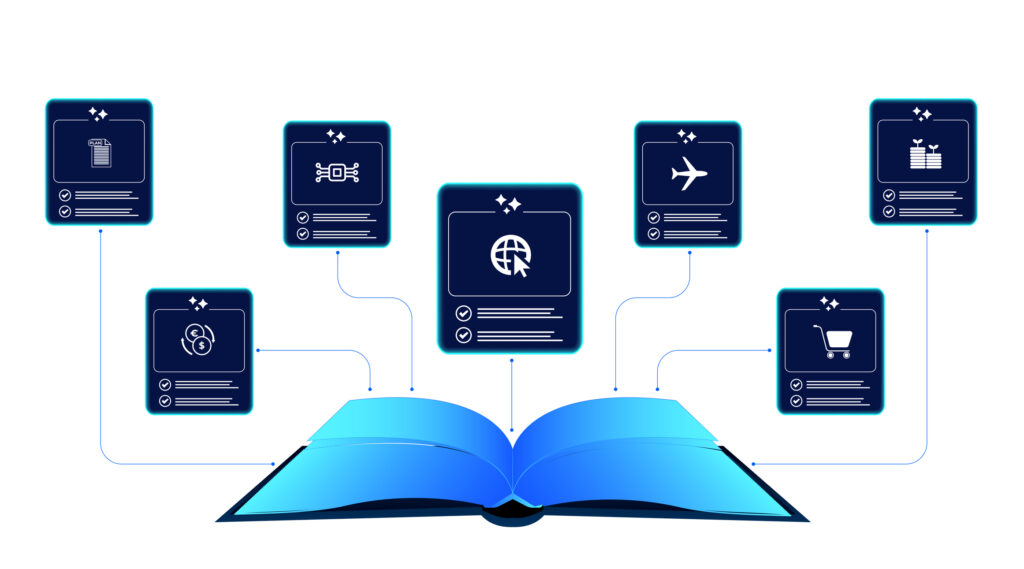
Connect knowledge pools of documents, conversations, media, data, and expertise with your Persistent Semantic Memory™ to ground your AI. Use our turn-key of connectors or build your own to connect to any enterprise systems.

Sign up for Innovation
The pace of innovation with AI is accelerating. Join an alpha group for early access to new turnkey Intelligence Modules, and help shape what comes next.